

We may earn a commission when you use our links to make a purchase. This article was researched and drafted with AI assistance and reviewed by our editorial team. Read our methodology →
Here's the problem with most graphic design tool comparisons: they treat Canva, Adobe Creative Cloud, and Figma as if they're competing for the same user. They're not.
These three tools serve fundamentally different audiences, workflows, and output types. Picking the wrong one doesn't just waste money — it creates friction every single day. This guide cuts straight to which tool wins for which type of work, based on who you are and what you actually need to produce.
Bottom line up front:
- Canva Pro → marketers, content creators, non-designers who need fast, polished output
- Figma → UI/UX designers, product teams, anyone doing design-to-development handoff
- Adobe Creative Cloud → professional graphic designers working in print, brand identity, or advanced photo retouching
If that already matches your situation, skip to the section for your tool. If you're still deciding, keep reading — the nuances matter more than the headline.
Quick Comparison: Canva vs. Adobe vs. Figma (2026)
| Tool | Best For | Starting Price | Skill Level | Real-Time Collaboration | AI Features |
|---|---|---|---|---|---|
| Canva Pro | Non-designers, marketing teams, content creators | ~$15/user/mo | Beginner | Good (team folders, brand kits) | Magic Design, text-to-image, background removal |
| Figma | UI/UX designers, product teams | ~$15/editor/mo | Intermediate | Excellent (live multiplayer) | Layout generation, component suggestions |
| Adobe Creative Cloud (All Apps) | Professional designers, brand studios, print | ~$59.99/mo | Advanced | Limited (no real-time co-edit) | Firefly generative fill, text-to-image |
One number worth knowing before diving in: Figma holds roughly an 86% adoption rate among dedicated design teams, while Canva reports over 200 million monthly active users — two metrics that reveal two completely different markets. The overlap between these tools is narrow by design.
Why These Three Tools Dominate Graphic Design in 2026

The graphic design software market hasn't consolidated randomly. It's settled into three distinct pillars, each driven by a different market pressure:
Canva started as a social media graphic maker and became a full visual design platform. Its expansion — into presentations, video, print, and AI-powered generation — was driven by one insight: most people who need to create visuals are not designers. They're marketers, founders, and communicators who need professional-looking output fast. Canva's acquisition of Affinity has also extended its reach into more professional design territory, with Affinity now connecting to Canva AI so eligible users can unlock generative features across both platforms.
Figma solved a specific, painful problem: design files locked on one person's machine create collaboration bottlenecks. By moving to a browser-based, real-time multiplayer model, Figma transformed the design-to-development handoff. That's why it became the default for product teams and startups — not because it's the most feature-rich tool, but because it makes the entire cross-functional workflow faster.
Adobe predates both and rests on a different foundation: depth. Photoshop, Illustrator, and InDesign are not interchangeable with any newer tool for professional print work, brand identity systems, or complex compositing. PCMag's independently tested 2026 software rankings include all three Adobe apps alongside Canva and Figma as top picks — a lineup that reflects the market's actual structure, not hype.
Worth noting: AI-native tools like Galileo AI and Uizard are generating attention but remain supplementary in 2026. They're best used as starting points rather than end-to-end design solutions — useful for generating initial wireframes from text prompts, not yet capable of replacing the precision professional workflows require.
If you're evaluating design software as part of a broader business technology stack, our Software & Apps Buyer's Guide 2026 covers how to assess subscription tools across categories — including when to commit and when to stay flexible.
Figma in 2026: The Collaborative Standard for Product Teams

Figma's core proposition is simple and has not changed: one shared file, everyone in it at the same time. Designers, developers, product managers, and clients can work simultaneously, leave comments, inspect spacing and properties, and export assets — without a single email attachment or "final_v3_REAL_FINAL.fig" filename.
For distributed teams building digital products, that alone justifies the cost.
Where Figma genuinely excels:
- UI/UX design and wireframing — screen design from lo-fi to pixel-perfect
- Interactive prototyping — link screens into clickable flows for stakeholder review
- Design system management — shared component libraries that sync across files
- Developer handoff — annotated specs, auto-generated CSS, asset export, all in-platform
Figma AI, available on paid plans, focuses specifically on UI/UX workflows: suggesting component layouts, auto-generating design systems, and accelerating repetitive interface decisions. It does not generate standalone images — for that, teams typically pair Figma with Midjourney or Adobe Firefly. That distinction matters: Figma AI is a workflow accelerator, not a creative image generator.
The weaknesses are real and worth naming:
Figma has a steeper learning curve than Canva. Its stock asset library is limited by comparison. Presentation tools are weaker. It is not suited for photo editing, print work, or high-volume marketing content production. And its per-editor pricing model — roughly $15/editor/month — can scale up quickly for large teams where many people need edit access rather than view-only.
The 86% adoption rate among design teams is the most practical signal of Figma's position. If you work in product design, your collaborators are almost certainly already using it. That network effect is a meaningful reason to adopt it even before comparing features — because a Figma file you share with a developer is immediately useful.
Canva in 2026: The Non-Designer's Production Powerhouse
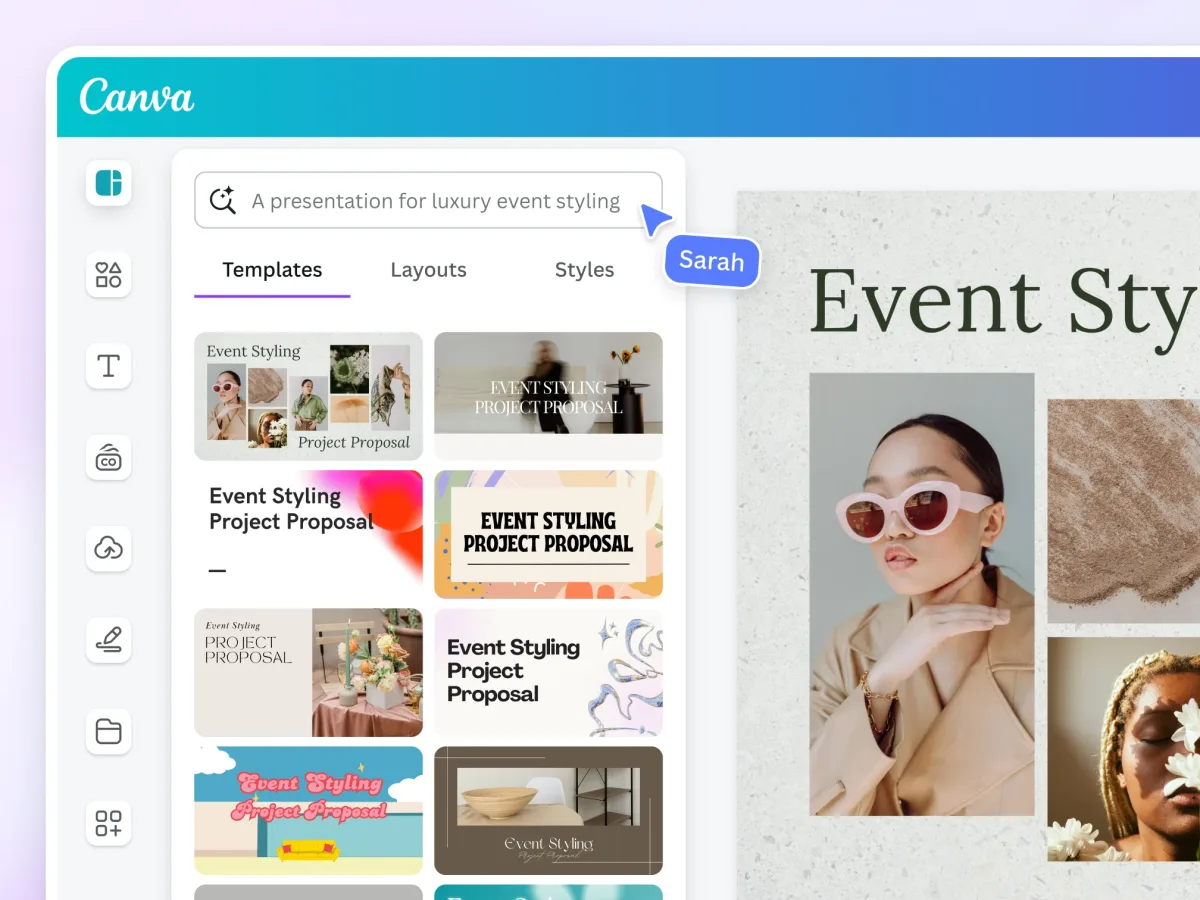
Canva's strength isn't that it's simple. It's that it's fast.
A marketing manager can open Canva, select a branded template, swap in new copy and images, resize everything for three social platforms, and export — in under 20 minutes. That workflow requires no design training and no designer's time. For teams producing high volumes of visual content, that speed compounds into a genuine operational advantage.
The numbers behind Canva's library are substantial: over 141 million stock photos, videos, and graphics available within the platform, combined with over 1 million ready-made templates. That gives non-designers a credible starting point for almost any visual task.
Canva's AI tools are the most accessible of the three platforms. Magic Design generates layouts from uploaded content. Background removal works in a single click. Text-to-image generation is built directly into the design canvas. These aren't advanced features requiring prompt engineering — they're designed for users who want results without configuration. For teams without dedicated designers, this is a genuine upgrade in capability.
A practical differentiator that gets underrated: Canva's mobile app provides full design capabilities — not a stripped-down viewer. For teams that move between devices or need to create assets in the field, this matters. Canva's presentation tools are also considerably stronger than Figma's equivalent, making it the better choice for teams regularly producing pitch decks, client reports, or internal communications.
At roughly $15/user/month for Canva Pro, the pricing is simpler and generally cheaper than Figma — especially for larger multi-user teams.
Where Canva breaks down: It's not suited for complex UI/UX design. Precision vector tools are limited. There is no developer handoff feature. And if your output needs to meet professional print specifications or pass through a brand studio's quality review, Canva's ceiling becomes apparent quickly. Pair it with the right tool for those tasks — don't try to force it into a workflow it wasn't built for.
If you're also evaluating design tools alongside your team's other core software, check our Office & Business Buyer's Guide 2026 for a framework on building out a productive software stack without over-spending.
Adobe Creative Cloud in 2026: Still the Professional Standard — But Is the Price Justified?
Adobe Creative Cloud's all-apps plan costs approximately $59.99/month — roughly four times Figma's per-editor cost and six times Canva Pro. The question isn't whether Adobe is powerful. It clearly is. The question is whether your work actually requires that power.
For professional graphic designers, the answer is usually yes.
Adobe Illustrator remains the benchmark for vector illustration and logo design. Photoshop is the standard for advanced photo retouching, compositing, and image manipulation. InDesign is the only professional tool purpose-built for editorial layout and print production at scale. These tools aren't interchangeable with newer platforms for these specific tasks — and no amount of Canva or Figma feature updates changes that in 2026.
Adobe Firefly AI is integrated across the Creative Cloud suite. In Photoshop, generative fill lets designers extend backgrounds, remove objects, and replace elements using text prompts — directly within a professional retouching workflow. This is meaningfully different from Canva's AI tools: Firefly is designed for users who already know what they're doing and want to accelerate specific steps, not for users who need the AI to make design decisions for them.
Here's what often gets underappreciated: the Adobe ecosystem integration. A brand designer can create a logo in Illustrator, place it into a Photoshop campaign image, and flow both assets into an InDesign print brochure — with live links between files, consistent color profiles, and shared Creative Cloud Libraries. Neither Canva nor Figma replicates that level of connected professional production.
Most professional graphic designers use Adobe Photoshop, Illustrator, and Figma together — with Adobe handling brand identity and print, and Figma handling digital product design. That combination reflects the complementary, rather than competitive, relationship between Adobe and Figma at the professional level.
The honest case against Adobe for many teams: If you only need one or two applications from the suite, the all-apps subscription is hard to justify. Single-app plans exist but reduce the cost advantage. For freelancers who primarily need vector illustration without an ongoing subscription, Affinity Designer is a credible one-time-purchase alternative worth evaluating before committing to Adobe's monthly billing.
Adobe Express is Adobe's answer to Canva in the non-designer market. It's a stronger fit for users already embedded in the Adobe ecosystem who want visual consistency with their professional tools. For most other users, Canva remains the stronger all-around solution for routine content creation.
Head-to-Head: Which Tool Wins for Each Design Task?
The most useful comparison isn't tool vs. tool in the abstract. It's task vs. tool in the context of your actual work.
| Design Task | Canva | Figma | Adobe Creative Cloud |
|---|---|---|---|
| Social media graphics | ✅ Best choice | ⚠️ Possible but slow | ⚠️ Overkill |
| App / web UI design | ❌ Not suited | ✅ Best choice | ⚠️ XD discontinued |
| Logo / vector design | ❌ Limited precision | ⚠️ Basic support | ✅ Best (Illustrator) |
| Presentations / pitch decks | ✅ Strong | ⚠️ Weaker | ⚠️ Not primary use |
| Photo retouching | ⚠️ AI basics only | ❌ Not suited | ✅ Best (Photoshop) |
| Print / editorial layout | ⚠️ Basic | ❌ Not suited | ✅ Best (InDesign) |
| Design system management | ⚠️ Brand kit only | ✅ Best choice | ⚠️ Less collaborative |
| Developer handoff | ❌ Not a feature | ✅ Best choice | ⚠️ Limited |
| Interactive prototyping | ❌ Not suited | ✅ Best choice | ❌ XD discontinued |
The overlap between these tools is genuinely narrow. Independent testing has found a roughly 3x speed gap between Figma and Canva on design engineering tasks — Figma dominates UI-specific workflows, Canva dominates content production tasks where templates and AI tools accelerate output. The tasks where one tool excels are tasks the other tool either cannot do or does significantly worse.
User satisfaction scores tell a consistent story: both Canva and Figma score closely in user ratings, meaning both tools satisfy their intended audiences well. The risk isn't picking a bad tool — it's picking the right tool for the wrong workflow.
How Graphic Design Tools Fit Into Your Broader Creative Stack

Graphic design doesn't happen in isolation. The tool you choose for visual creation connects to everything else you use — content strategy, project management, file storage, and team communication.
If you're running a content-heavy operation, Canva integrates well with social media schedulers and email marketing platforms. Our Best Email Marketing Services comparison covers which platforms pair well with Canva-produced templates in 2026.
For teams managing design projects alongside product development, Figma's natural home is alongside tools like Asana, Monday, or Notion for task coordination. See our breakdown of Best Project Management Tools 2026 for how to structure those workflows.
If you're creating photo-heavy content — product photography, editorial imagery, or processed raw files — you'll likely pair your design tool with a dedicated photo editor. Our Best Photo Editing Software comparison covers the Lightroom vs Capture One decision in full detail.
For marketers who use AI to accelerate content production alongside visual design, check our Best AI Writing Tools comparison — pairing an AI writing tool with Canva covers most marketing content needs without a full creative team.
And if podcast production is part of your output mix, the design work needed for cover art, episode graphics, and promotional assets is where Canva particularly shines — our Best Podcast Recording & Editing Tools guide covers that production workflow end to end.
Where to Find Deals on Canva, Figma, and Adobe in 2026
All three platforms offer meaningful ways to reduce cost:
Canva — Canva for Teams pricing becomes more cost-effective at 5+ users. Canva for Education and Canva for Nonprofits are free for qualifying organizations. Annual billing saves approximately 16% compared to monthly. Check our Best Business Software Deals 2026 roundup for current promotions across design and productivity tools.
Figma — Free Starter plan includes 3 Figma files and unlimited personal files. Student and educator plans are free with verified .edu email. Professional and Organization tiers are priced per editor; viewers are free, which is an underused cost lever for teams with stakeholders who only need to review and comment.
Adobe Creative Cloud — First-year discounts of 20–40% are common for new subscribers. Adobe for Students and Teachers is heavily discounted (typically around $19.99/month for all apps). Single-app subscriptions are available if you only need Photoshop or Illustrator specifically. Check Adobe's official promotions page directly — deals rotate seasonally.
Final Recommendation: A Framework That Actually Works
Stop asking "which tool is best?" and ask "which tool matches how I work and who I work with?"
Choose Figma if you're a UI/UX designer or on a product team. The 86% adoption rate among design teams means your collaborators are likely already there. The per-editor cost is real, but the collaboration and developer handoff capabilities are unmatched. Pair Figma AI with Midjourney or Firefly for image generation tasks.
Choose Canva Pro if you're a marketer, content creator, or non-designer producing regular visual assets. The template library, AI tools, and mobile-first design make it the fastest path from brief to published content. It won't replace a designer for complex brand work, but it substantially reduces how often you need one for routine output.
Choose Adobe Creative Cloud if you're a professional graphic designer working in brand identity, print, or advanced photo work. The ecosystem integration between Illustrator, Photoshop, and InDesign justifies the cost if you use more than one app regularly. If you only need vector illustration, evaluate Affinity Designer as a one-time-purchase alternative before committing to a subscription.
Choose Adobe + Figma together if you're a professional designer who works across both brand identity and digital product design. This combination — Adobe for creative production, Figma for digital collaboration — is how most professional design studios actually operate in 2026.
Frequently Asked Questions
Can I use Canva for professional graphic design work? Canva works well for marketing assets, presentations, social media graphics, and branded content. It's not suited for complex vector illustration, print production that requires precise color profiles, or UI/UX design with developer handoff. For those tasks, Adobe or Figma are the right tools.
Is Figma free to use? Figma offers a free Starter plan that includes 3 Figma design files and unlimited personal files. Paid Professional plans start at approximately $15/editor/month. Viewers and commenters can access Figma files for free — only users who need to edit files require paid seats.
Does Adobe Creative Cloud include Figma-like collaboration features? No. Adobe Creative Cloud's collaboration is primarily through shared libraries and cloud document storage, not real-time multiplayer editing. For live co-editing, Figma remains the standard. Most professional studios use Adobe and Figma together for different parts of the workflow.
What happened to Adobe XD? Adobe XD was officially discontinued in 2023. Adobe has directed users toward Figma for UI/UX design — a notable competitive concession. If your workflow previously relied on XD, Figma is the standard replacement.
Is Affinity Designer a realistic Adobe alternative? For vector illustration specifically, yes. Affinity Designer is available as a one-time purchase (no subscription) and covers most professional vector design needs. It lacks the broader Creative Cloud ecosystem, but for freelancers who primarily need Illustrator-equivalent capabilities, it's a credible, cost-effective option.
Which tool is best for small business owners with no design background? Canva Pro is the clear answer. The template library, brand kit feature, and AI tools are specifically designed for users without design training. For managing your broader business software stack, our Best CRM Software for Small Business 2026 guide covers what to pair with it on the operational side.
How this guide was researched: This comparison is based on publicly available platform documentation, independently published software reviews, and verified user data from multiple third-party sources. It does not reflect hands-on testing by Trusted Buyer Report. Pricing shown reflects publicly listed rates as of mid-2026 and may change — verify current pricing on each platform's official pricing page before subscribing.
Trusted Buyer Report may earn a commission from purchases made through links on this page. Our editorial recommendations are completed before any affiliate link is applied and are never influenced by commercial relationships. Read our full disclosure.