This guide is based on manufacturer specifications, expert sources, and verified customer feedback aggregated from IGN, CNET, Empire Online, PC Gamer, iMovR, and OdinLake. It does not reflect hands-on testing by Trusted Buyer Report. Reviewed and fact-checked by our editorial team before publishing. We may earn a commission from purchases made through links on this page.
Here's the gaming desk fact most buying guides skip: the average gaming setup runs six to ten active cables at any moment — monitor display cables, USB hubs, headset docks, controller chargers, PC power, and speaker lines. Yet the majority of desks marketed as "gaming" desks ship with a single rear grommet to manage all of them. That hole is not cable management. It is a bottleneck with a brand label.
Bottom line up front: If you're buying or upgrading a gaming desk in 2026, the best overall pick for cable-heavy setups is the Secretlab MAGNUS Pro (full metal integrated channel, PC leg mount, magnetic conduit). The best budget option is the IKEA Utespelare. The best corner desk is the Eureka L-Shaped. Skip any desk that lists only a single grommet as its cable management — it will fight you within a month.
This guide covers what actually separates good gaming desks from mediocre ones, which 2026 models deliver on their specs, and how to match the right desk to your room geometry, cable count, and hardware load — not just your budget.
Why Most Gaming Desks Fail Within a Year
The most common gaming desk failure isn't a collapsed frame. It's a desk never designed for the actual complexity of a modern setup.
A standard office desk assumes: laptop, one monitor, coffee cup. A gaming station assumes: two or three monitors, mechanical keyboard, wide mousepad, headset dock, USB hub, controller cradle, and a PC tower that needs airflow. These are fundamentally different load profiles.
Cable chaos is the most visible symptom — but it's not just cosmetic. When cables pile up unrouted behind a sit-stand desk, they become a mechanical hazard. Cable bundles catch in height adjustment mechanisms, physically limiting how high the desk can travel. You pay for a desk with a 25–49 inch adjustment range and end up stuck at 38 inches because your HDMI cables are binding against the frame.
Surface area is the second failure point. According to iMovR's gaming desk buying guide, most gamers prefer a desk span of 55 to 72 inches to comfortably fit multiple monitors, keyboard space, and peripherals. A desk under 55 inches forces monitors too close together, contributing directly to eye strain and the neck compression ergonomists call "tech neck."
Floor-placed PC towers are the third problem. When a desk has no integrated mount or elevated shelf, the tower sits on the floor. iMovR cites NVIDIA data indicating that heat buildup from poor airflow in floor-placed PCs can trigger GPU thermal throttling during extended sessions — your hardware underperforms not because of a software bug but because your desk gave you nowhere better to put the tower.
What Actually Makes a Gaming Desk Different from an Office Desk
The differences are structural, not cosmetic.
Empire Online's expert panel notes that gaming desks serve editors and streamers professionally, not just casual players — and the specs reflect that. Weight capacity is the clearest differentiator. Their comparison table shows the Secretlab MAGNUS Pro supporting 199.5 kg, while other reviewed models in the same roundup cap at 120 kg and 100 kg. That gap matters when you're mounting two 32-inch monitors, a monitor arm, and a desktop tower simultaneously.
Build materials follow a clear hierarchy:
- Steel frame + solid wood or MDF surface — the standard for quality gaming desks; handles multi-monitor loads without wobble at extended sit-stand heights
- Steel frame + wooden panel + plastic accents — adequate at mid-price if the structural frame is steel; this is the Klobel FEL-1880-X's construction
- Particle board or plastic structural elements — avoid; develops wobble under load, especially at extended heights on sit-stand models
Lenovo's 2026 gaming desk guide identifies height adjustability and modular elements as key differentiators, noting that these features support flexibility when rearranging monitors, peripherals, and accessories across different configurations.
Gaming-specific additions like headphone hooks, textured mouse-tracking surfaces, RGB lighting strips, and pegboard panels serve real purposes beyond aesthetics. A headphone hook keeps your headset off the desk. A textured surface eliminates a separate mousepad purchase. These reduce the supplemental accessories you need to buy separately.
Planning the full setup? Our Gaming Buyer's Guide 2026: Consoles, PCs & Accessories covers how desk selection fits into the larger hardware and peripheral decision stack — from your GPU to your controller.
The Cable Management Hierarchy: From Basic to Best-in-Class
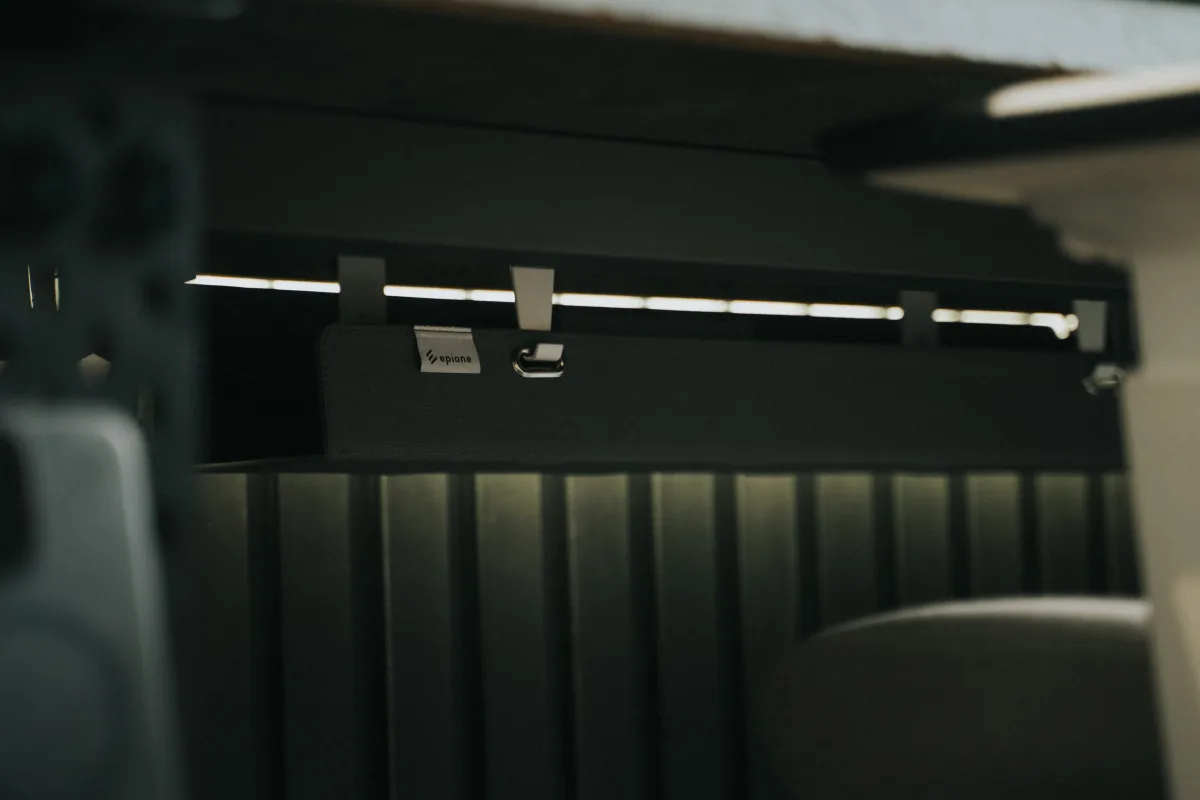
Not all cable management is equal. Understanding the tiers helps you avoid paying for features you don't need — or settling for a system that collapses under your actual cable load.
Tier 1 — Basic: Single Grommet or Clip Rail
A rear grommet passes cables through the desk surface to hide them below. A clip rail attaches to the desk edge and loosely organizes cables. Both require you to do the actual routing work with zip ties or velcro wraps. They work for simple setups — one monitor, one PC, under four cables — and break down quickly once cable count climbs above five lines.
Tier 2 — Mid-Tier: Underslung Cable Tray or Basket
An underslung tray mounts beneath the desk surface and collects cables in a contained channel, keeping them off the floor without routing them through the desk frame. IGN's reviewer described one such tray as "among the biggest I've seen," paired with a built-in surface cubby for quick-access cable drop points. This tier handles most gaming setups cleanly and represents the sweet spot for value.
Tier 3 — Advanced: Full Rear Cable Trench with Surface Cubby
A rear cable trench runs the full width of the desk, routing cables horizontally behind the surface and dropping them to a central exit point. Combined with a surface-level cubby, this system handles eight to ten cables without external management accessories. CNET confirms the Secretlab Magnus Pro XL features exactly this configuration — a large rear trench, a built-in power supply unit, and an optional magnetic conduit that covers all visible wiring.
Tier 4 — Premium: Integrated PC Mount and Magnetic Conduit
The highest tier adds a PC tower mount that connects the case directly to the desk leg, so the tower rises with the desk on sit-stand models. CNET highlights this feature on the Magnus Pro XL: because the tower travels with the desk, cables between the PC and the desk surface never stretch or bind during height adjustments. OdinLake's guide also recommends grouping cables by type — power lines separate from data lines — to reduce electromagnetic interference and simplify troubleshooting.
Space Efficiency by Room Type: Match the Desk Shape to Your Room

Desk shape is the most underserved question in gaming desk guides. Most roundups rank desks by price tier without addressing the fact that a straight desk in a corner room wastes two to three square feet of usable space that an L-shaped configuration would capture.
Straight Desks
Best for rooms with a single dedicated wall run. They maximize front-facing monitor real estate and are the easiest to cable-manage because all runs travel in one direction. Trade-off: they do nothing with corner space and require wider wall clearance.
Best fit: Single-monitor setups or dual-monitor setups in non-corner rooms. Minimum 55 inches wide; 63–72 inches for dual monitors.
L-Shaped Desks
L-shaped configurations solve the corner problem and add a secondary surface that changes how you use the setup. IGN's reviewer noted that an L-shaped configuration allowed the PC tower to be positioned on the secondary arm, completely freeing the main surface and keeping the tower elevated away from floor dust.
The secondary arm is also useful for a laptop, extra shelving, or a streaming deck without crowding the primary gaming surface. Empire Online identifies the Eureka L-shaped desk as the best space-saver for corner setups specifically because of how it converts otherwise dead corner space into usable workspace.
Best fit: Corner rooms; multi-monitor setups with secondary peripherals; streamers who need a side surface for an audio interface or streaming deck.
Corner Standing Desks
A rarer category. OdinLake describes the OdinLake S5 corner standing desk as a "Command Center" configuration for three-monitor users, with a built-in monitor riser that frees significant desk real estate. An L-shaped standing surface is a genuine differentiator for power users who need both sit-stand capability and triple-monitor support.
Practical warning from PC Gamer: The Grovemade desk's tabletop measures 160 × 80 cm. Reviewers note it can surprise buyers who don't measure their space carefully. Always measure your room before purchasing any desk over 55 inches — photos consistently make desks appear smaller than they are in physical space.
Top Gaming Desks of 2026: Expert-Reviewed Picks by Use Case
These picks are organized by the specific problem each desk solves best. Match your situation to the use case — not the ranking number.
Best Overall for Cable Management: Secretlab MAGNUS Pro
Empire Online's expert panel names the MAGNUS Pro their top pick for quality and modular customization. The full metal construction acts as an integrated cable channel across the entire desk frame — there is no separate cable tray because the desk itself is the cable management system.
CNET, drawing on nearly 4,000 hours of desk testing, confirms the Magnus Pro XL specs:
| Spec | Detail |
|---|---|
| Height range | 25.6" to 49.2" (electric) |
| Surface dimensions | 70" × 31.5" |
| Weight capacity | 265 lb |
| Warranty | 5 years |
| Cable management | Full rear trench + magnetic conduit + PC leg mount (optional) |
Honest negative: The premium build comes at a premium price, and the magnetic conduit and PC mount are sold separately.
Best for: Heavy multi-monitor setups; sit-stand users who need cable management that travels with the desk; streamers and content creators.
Best Sit-Stand for Heavy Loads: Flexispot E7 Pro
Empire Online identifies the Flexispot E7 Pro as delivering exceptional value with a broad height range and sturdy performance under heavy equipment loads. For users running two or three large monitors with a full peripheral array, the E7 Pro's motor reliability and frame rigidity make it a practical alternative to the MAGNUS Pro at a meaningfully lower price point. Its weight capacity handles demanding configurations without the wobble issues that affect lower-tier sit-stand desks at extended heights.
Best for: Multi-monitor users who want sit-stand capability without paying MAGNUS Pro pricing; users who will use their own cable management accessories.
Best Corner Space-Saver: Eureka L-Shaped Desk
Empire Online's top corner pick, the Eureka L-shaped desk is purpose-built for rooms where a straight desk wastes corner geometry. The secondary arm handles a laptop, peripheral storage, or an elevated PC tower without crowding the primary gaming surface.
Practical note: Cable management between the two arms requires planning — cables crossing the corner joint need enough slack to avoid tension during any reconfiguration. The space efficiency gain justifies the setup effort for most corner rooms.
Best for: Corner rooms; dual-monitor setups with a secondary work surface; users upgrading from a cramped straight desk.
Best Minimalist Sit-Stand: Grovemade Desk
PC Gamer highlights the Grovemade desk's smooth motor and repositionable control panel — mount it at the desk edge for visibility or tuck it under the drawer for a clean look. The cable management is neat rather than industrial, which suits users who prioritize visual minimalism alongside standing capability. Surface: 160 × 80 cm.
Caveat: Measure your space before ordering. The footprint is substantial.
Best for: Users who prioritize clean aesthetics; hybrid gaming/creative workstations; minimalist setups with fewer cables.
Best Budget Pick: IKEA Utespelare
PC Gamer endorses the IKEA Utespelare as the best budget gaming desk for hitting core requirements affordably — sufficient surface area for monitors and mouse movement, integrated cable management hooks, and a price that doesn't require justification.
Limitation: Fixed height only, which limits ergonomic flexibility for longer sessions.
Best for: First gaming desk builds; users who don't need sit-stand; budgets under $300.
Best for Triple-Monitor Power Users: Klobel FEL-1880-X
According to Eneba Hub, the Klobel FEL-1880-X specs:
| Spec | Detail |
|---|---|
| Dimensions | 29.5" D × 71" W × 28.35" H |
| Weight | 82.67 lb (desk) |
| Load capacity | Up to 220 lb |
| Construction | Metal frame, wooden panel surface, plastic accents |
| Special feature | Adjustable leveling feet for uneven floors |
The 63-inch surface accommodates dual monitors and a full peripheral array, and the built-in cable management handles a standard gaming cable load.
Best for: Triple-monitor power users on a mid-range budget; setups with adjustable floor surfaces.
Ergonomics and Height Adjustability: Why This Affects Performance, Not Just Comfort
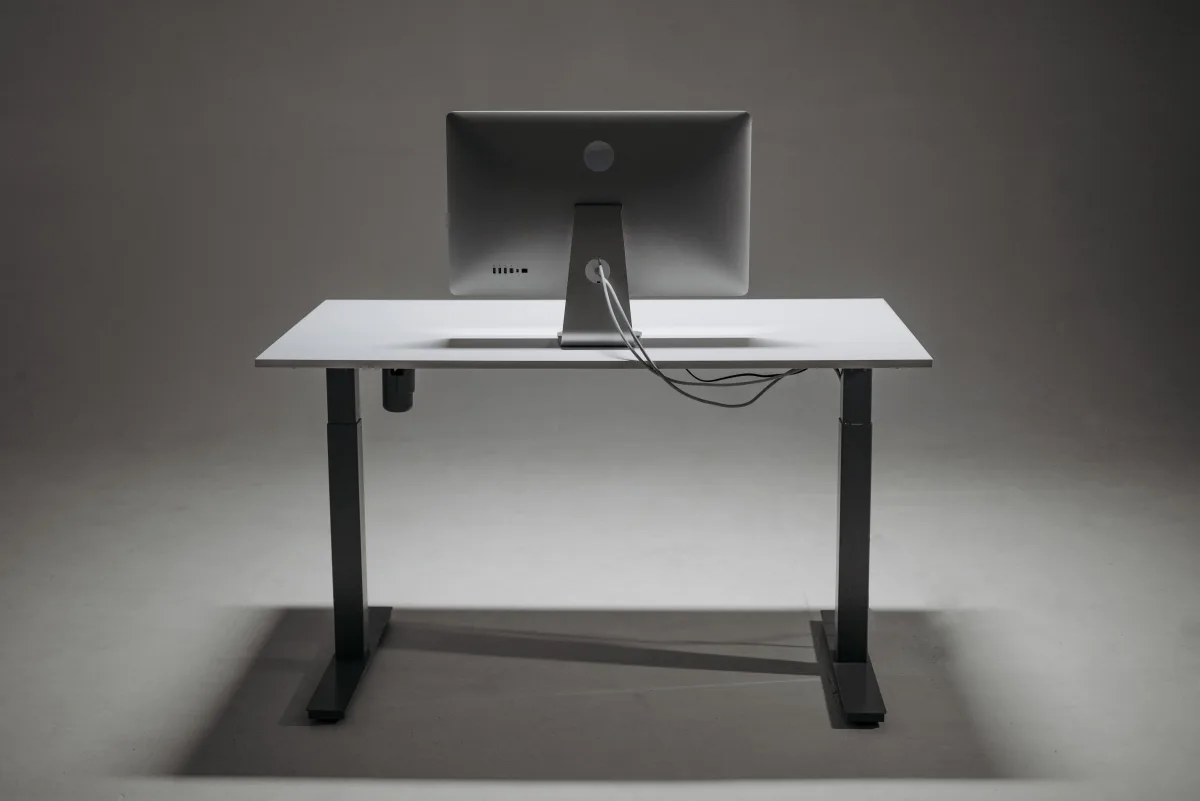
Height adjustability is not a luxury feature. For anyone spending three or more hours at a desk per session, a fixed-height desk that doesn't match your body dimensions creates cumulative physical strain.
OdinLake's ergonomic guide recommends that your eyes align with the top third of your screen to avoid neck compression — a condition that worsens progressively over long sessions and is directly caused by monitor placement that is too low or too high relative to seated eye level. This is especially relevant for gaming, where lateral head movement during wide-field-of-view play exaggerates the strain from poor monitor height.
Height range matters practically. CNET's comparison shows:
- Secretlab Magnus Pro XL: 25.6" to 49.2"
- Eureka Ark ES: 29.5" to 47.25" — a narrower range that excludes very tall or very short users at the extremes
Motor quality is a genuine differentiator. PC Gamer specifically calls out the Grovemade desk's motor as "super smooth," which matters because a noisy or jerky motor discourages frequent height changes — defeating the ergonomic purpose of the feature entirely.
Pair with the right peripherals. Desk ergonomics only work when your keyboard, mouse, and display are dialed in too. See our Best Gaming Keyboards & Mice 2026: Wired vs. Wireless guide for companion recommendations.
Weight Capacity and Build Materials: The Specs Most Buyers Check Last
Weight capacity is the spec most buyers check last — and should check first.
A gaming setup's total load adds up fast:
- Single 32" monitor: ~10–15 lb
- Second monitor: another 10–15 lb
- Mounted PC tower: 20–30 lb
- Monitor arm: 5–10 lb
- Audio gear and peripherals: 5–15 lb
Total range for a typical dual-monitor setup with tower: 50–85 lb. A desk rated at 100 kg handles this comfortably in theory, but a desk rated at 100 kg with a lower-quality frame may wobble under that load at extended sit-stand heights — a problem that doesn't appear in static weight tests.
Empire Online's comparison is instructive: the MAGNUS Pro supports 199.5 kg, while other reviewed models cap at 120 kg and 100 kg. For a heavy multi-monitor setup, that headroom matters for long-term frame integrity and motor longevity on sit-stand models.
IGN notes that the sit-stand motors on one reviewed desk are rated to lift up to 330 lb — a benchmark that accommodates even the heaviest multi-monitor configurations with a mounted PC.
Surface material affects daily usability in ways that weight capacity numbers don't capture:
- Textured surfaces: Provide mouse tracking without a separate mousepad; harder to clean
- Smooth surfaces: Require a pad but are easier to wipe down; better for desks used as workstations too
- Steel frame (non-negotiable): Desks that use particle board or plastic for structural elements — not just surface finishing — develop wobble under load
Buying Criteria: What to Prioritize, In Order
| Priority | Criterion | Minimum threshold |
|---|---|---|
| 1 | Room geometry fit | Measure before buying. Desk shape must match your wall/corner config. |
| 2 | Cable management tier | Count cables: under 5 → Tier 2 tray; over 6 → Tier 3 trench or integrated |
| 3 | Weight capacity | Add full equipment load + 30% headroom for frame longevity |
| 4 | Height adjustability | Sit-stand recommended if sessions exceed 2 hours; verify range covers your height |
| 5 | Surface dimensions | 55" min for 1 monitor; 63–72" for dual; 72"+ or L-shape for triple |
| 6 | Build material | Steel frame is the minimum. Verify frame material, not just surface. |
Frequently Asked Questions
What is the minimum desk width for a dual-monitor gaming setup?
Most ergonomics guides and expert reviewers recommend at least 63 inches for a comfortable dual-monitor setup with keyboard space and peripheral room. The iMovR buying guide puts the general preference range at 55 to 72 inches, with 55 inches being the practical floor for dual monitors placed at proper viewing distance.
Do I need a sit-stand desk specifically for gaming?
Not strictly, but the case strengthens as session length increases. For users gaming three or more hours per session, the ability to alternate sitting and standing reduces cumulative physical strain. The additional cable management complexity is real but solvable with proper routing through integrated channels or a PC leg mount.
How do I manage cables on a sit-stand desk without limiting its height range?
Route cables through the desk's integrated channels rather than bundling them externally. Leave deliberate slack — enough for the full height travel range — and use velcro wraps rather than zip ties so you can adjust routing without cutting. A PC tower mount attached to the desk leg eliminates the most common cable binding point entirely.
Is an L-shaped desk worth it for a single-monitor setup?
Only if you have a corner room and a secondary use for the side arm — laptop work, peripheral storage, or an elevated PC tower. For a single-monitor setup in a non-corner room, a straight desk in the 55–63 inch range is more space-efficient and easier to cable-manage.
What is the difference between a cable grommet and a cable tray?
A grommet is a hole in the desk surface that passes cables through — it routes cables but does not contain or hide them. A cable tray mounts beneath the desk surface and actively collects cables in a contained channel, keeping them organized and off the floor. For setups with more than four cables, a tray or trench is meaningfully better than a grommet.
How much weight capacity do I need for a gaming desk?
Calculate your full equipment load — both monitors, PC tower if desk-mounted, monitor arm, and peripherals — then buy at least 30% above that total. A desk rated exactly at your load will perform structurally but may wobble at extended sit-stand heights under repeated use.
What to Read Next
Building out a full gaming station? These guides cover the rest of your hardware decisions:
- Controllers: Best Gaming Controllers 2026: Third-Party vs. Official — whether it's worth paying for an official DualSense or Xbox Elite, or going third-party
- Laptops: Best Gaming Laptops 2026: Performance vs. Price — if your desk will double as a laptop workspace
- Subscriptions: Best Game Subscription Services 2026: Xbox Game Pass vs PS Plus vs Nintendo Online — maximize your game library without buying everything at full price
- Retro gaming: Best Retro Gaming Consoles 2026 — if your desk setup includes a classic console display
- Save on games: Cheap Game Keys 2026: Steam, PS & Xbox — where to legally find the best game deals
- Where to buy: GameStop Review 2026: Still Relevant? — if you're shopping in-store for gaming hardware
Reviewed by Trusted Buyer Report editorial team. This article was drafted with AI assistance and fact-checked before publishing. Trusted Buyer Report may earn a commission from purchases made through links on this page. Full disclosure → · How we review →