
We may earn a commission when you use our links to make a purchase. This article was researched and drafted with AI assistance, then reviewed and fact-checked by our editorial team. It is based on publicly available data, independent expert sources, and verified user feedback — not hands-on testing by Trusted Buyer Report.
The short answer: If you only install one deal alert app in 2026, make it CamelCamelCamel for Amazon purchases or Honey if you shop across many retailers. Add Keepa if you buy on Amazon frequently or resell. Use TaskMonkey after every purchase to automatically recover money when prices drop. Each tool covers a different part of the buying cycle — and the best setup stacks two or three of them.
Here's everything you need to know to choose the right combination for how you actually shop.
Why Most Deal Alert Apps Don't Save You As Much As You Think

Install a price tracker and you'll never overpay again — that's the promise. Here's what actually happens: you install CamelCamelCamel, check one product, and realize the "25% off" sale price you nearly jumped on is actually $12 higher than it was in February.
That moment of clarity is genuinely valuable. But it only happens if you understand what these tools can and can't do.
What they can do: Show you a product's price history. Alert you when a price drops to a threshold you set in advance. Automatically apply coupon codes at checkout. Scan your past orders for post-purchase price drops.
What they can't do: Predict when a price will drop. Tell you what a product will cost. Guarantee that a deal badge means you're actually getting a deal.
The reason that matters: Amazon and major retailers use algorithmic dynamic pricing that adjusts prices multiple times per day based on demand, inventory, competitor activity, and your browsing behavior. That "30% off" badge tells you nothing about whether the current price is actually low relative to what the product has cost over the past 12 months. Without a price history tool, you're shopping blind.
Understanding this is what separates shoppers who genuinely save money from those who install five extensions and still pay more than they should. For a broader framework of how to save money across all your online shopping — not just Amazon — our US Shopping & Money-Saving Guide 2026 covers the full picture.
How Price Tracking Tools Actually Work

Every tracker on this list operates the same way at the core: a crawler visits product pages at regular intervals, logs the price it finds, and stores that data over time. When you look up a product, the tool renders that logged data as a price history chart. When you set a target price, the tool watches the database and emails or pushes an alert when the price hits your threshold.
Browser extensions layer convenience on top of this. Instead of copying a URL and visiting a separate site, you see a price history chart embedded directly on the retailer's page. Keepa and the Camelizer (CamelCamelCamel's extension) both work this way.
The variable that matters most: database size. CamelCamelCamel tracks around 6 million Amazon products. Keepa tracks over 3.8 billion — some sources put it closer to 5.6 billion across 11 marketplaces. For popular products, both tools will have years of useful history. For niche or recently listed items, Keepa is significantly more likely to have data.
Alert delivery also varies. CamelCamelCamel sends email alerts. Honey sends browser push notifications. TaskMonkey — which we'll cover separately — works differently: it doesn't alert you before a purchase. It acts after one.
CamelCamelCamel: The Best Free Amazon Price History Tool

Best for: Casual to moderate Amazon shoppers who want a quick, honest answer about whether a price is good.
CamelCamelCamel has been tracking Amazon prices longer than most of its competitors. Its core proposition hasn't changed: completely free, no paid tier, and clean price history charts you can read in seconds.
Paste any Amazon product URL into camelcamelcamel.com and you immediately see the product's all-time low price, its price history over the past months or years, and a field to set a target price for email alerts. No account required for basic history lookups — you only need to register to receive alerts.
The Camelizer browser extension works across Chrome, Firefox, Edge, Opera, and Safari, and supports multiple Amazon regional marketplaces beyond Amazon.com. It overlays historical price data directly on the Amazon product page while you browse, so there's no extra step.
According to Robotalp's 2026 round-up of free price tracking tools, CamelCamelCamel is funded entirely by ads and affiliate revenue — there is no premium tier to unlock. That's a meaningful commitment to free access.
Where it falls short: CamelCamelCamel tracks price, but not seller history, Buy Box ownership changes, or Amazon's Best Seller Rank (BSR). If you want to understand why a price moved — whether it correlates with a seller change, a demand spike, or a Buy Box shift — CamelCamelCamel doesn't give you that. There's also no dedicated mobile app.
For the majority of Amazon shoppers, those limitations don't matter. CamelCamelCamel answers the question you're actually asking: "Is this price good right now?" It does it well, and it does it for free.
Keepa: The Most Detailed Amazon Price Data Available in 2026
Best for: Frequent Amazon buyers, high-value purchases, and Amazon resellers.
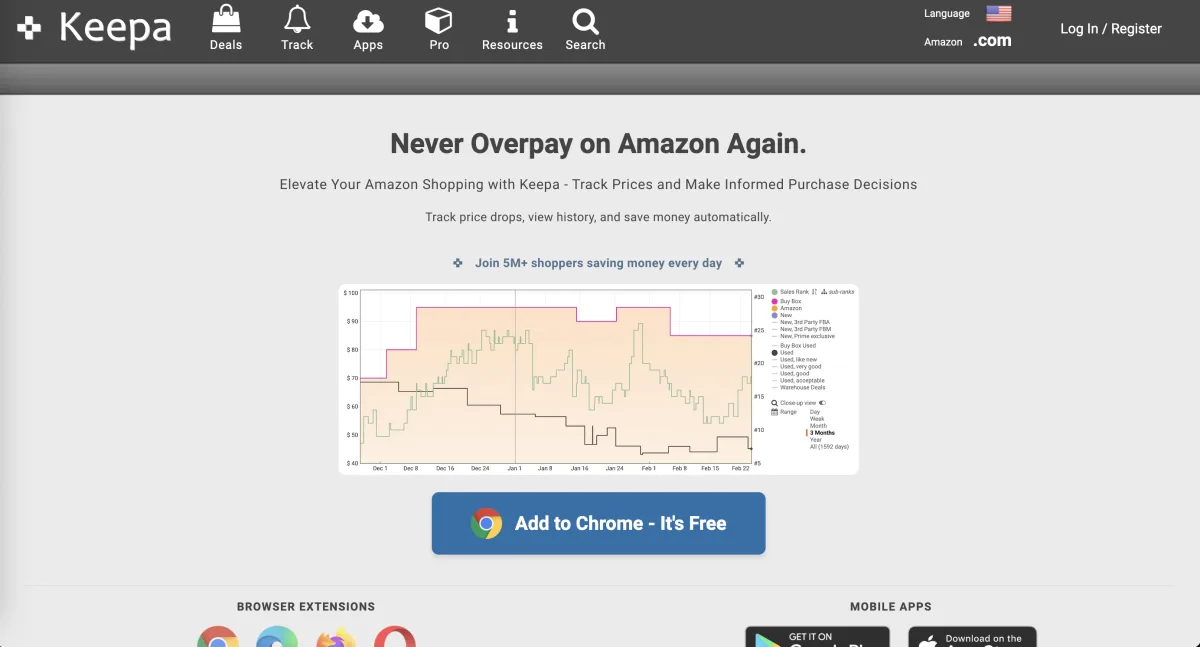
Keepa operates at a different level of detail than any other consumer-facing price tracker. It embeds price history charts directly into Amazon product listings — you never have to leave the page. But the data goes well beyond a simple price line.
Keepa tracks:
- Buy Box history — which seller held the Buy Box and at what price
- Individual third-party seller prices
- Stock availability over time
- Amazon's Best Seller Rank (BSR)
All of this is plotted on the same chart, giving you a complete picture of what's happened to a product's market position, not just its price.
A useful analogy from Changeflow's Amazon price tracker comparison: if CamelCamelCamel is a speedometer, Keepa is a full engine diagnostic. CamelCamelCamel tells you the current price and where it's been. Keepa tells you why the price moved, who was selling the product when it moved, and whether demand was rising or falling at the same time.
The catch: the free version of Keepa has meaningful limitations. Without a paid subscription, you can't access interactive charts or set price drop alerts — the two features that make Keepa most useful for active shoppers. According to Changeflow, the paid tier costs approximately €19/month.
Whether that's worth it depends on your shopping volume. For a household making several significant Amazon purchases per week, or for any reseller using price data to make sourcing decisions, the subscription justifies itself quickly. For someone who buys on Amazon a few times per year, CamelCamelCamel is the smarter choice.
Keepa also offers API access for developers and sellers who want to integrate price data into their own workflows — making it the only consumer-facing tracker on this list that scales to professional use. The dense, data-heavy interface has a real learning curve, but once you know how to read it, that complexity becomes an advantage.
Honey: Best for Coupon Discovery and Multi-Retailer Shopping
Best for: Shoppers who buy across many different retailers and want automatic coupon application.
Honey occupies a fundamentally different category than CamelCamelCamel and Keepa. It's not primarily an Amazon price history tool — it's a coupon automation extension that also includes basic price tracking.
PayPal acquired Honey for $4 billion in 2020. According to Changeflow, the extension now has over 17 million users. That scale reflects its primary strength: it works across more than 30,000 retail sites, not just Amazon.
When you reach the checkout page on any supported retailer — clothing, electronics, travel, subscription services — Honey automatically searches for available coupon codes and applies the best one it finds. This happens in the background. You don't have to search for codes manually or visit a separate site.
The Droplist feature is Honey's answer to price alert tools: add Amazon products to your Droplist and receive notifications when prices fall to your target. It's genuinely beginner-friendly. But as Atom11's CamelCamelCamel review notes, Honey's Amazon tracking is limited in depth — no BSR data, no seller history, no detailed historical charts comparable to what CamelCamelCamel or Keepa provide.
Honey Gold, the built-in rewards program, gives you points redeemable for gift cards on qualifying purchases — a passive savings layer that the Amazon-specialist tools don't offer.
Honey is free across Chrome, Firefox, Edge, Safari, and Opera. The right shopper for Honey is someone who wants a single tool that handles coupon application across dozens of retailers automatically while also providing basic price alerts. It's not the right choice if you primarily want deep Amazon price history.
TaskMonkey: The Only Tool That Gets You Money Back After You've Already Bought
Best for: Anyone who shops on Amazon regularly and wants to automatically recover money from post-purchase price drops.
Every other tool on this list works before or during a purchase. TaskMonkey works after one — and that makes it a fundamentally different category.
Here's the scenario it solves: you buy a stand mixer during a Prime Day sale, paying what you think is a strong price. Two weeks later, the price drops $40. You had no idea. Amazon has a price adjustment policy, but the window is limited, and most shoppers either don't know it exists or don't pursue it because contacting customer service feels tedious.
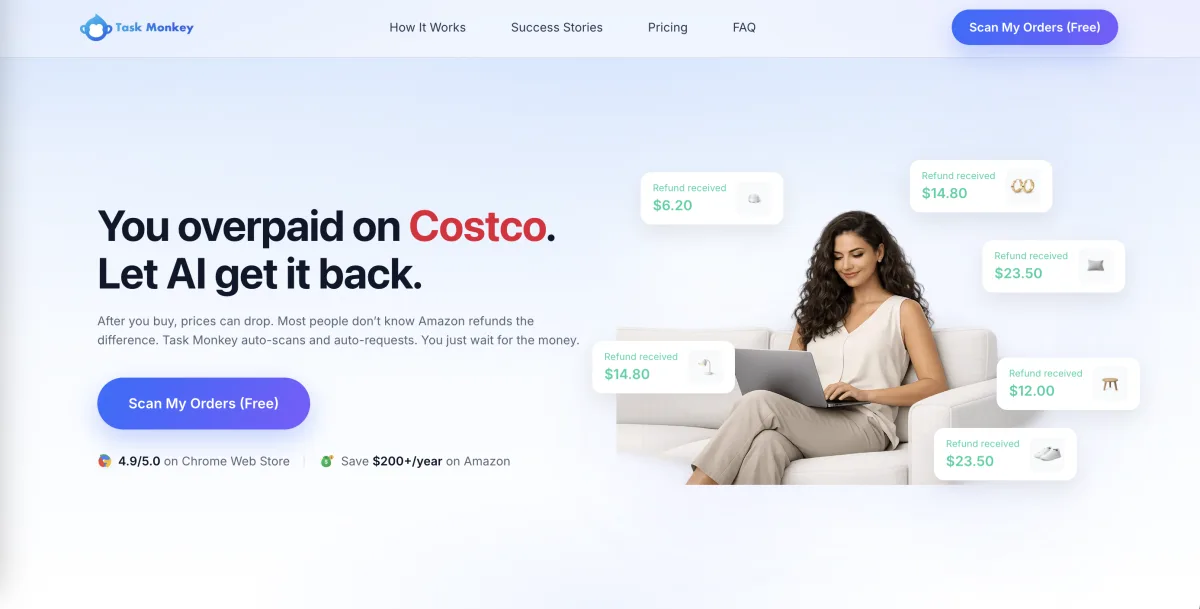
TaskMonkey automates that process. According to TaskMonkey's own overview of Amazon price trackers, the tool scans your Amazon order history, uses AI to identify purchases where the price dropped after your order was placed, and then automatically contacts Amazon customer service to negotiate a price adjustment refund on your behalf.
The order scanning feature is free. There's no reason not to run it periodically if you shop on Amazon with any regularity.
TaskMonkey is not a replacement for a pre-purchase tracker. It's a complement — it covers the part of the purchase cycle that CamelCamelCamel, Keepa, and Honey all ignore.
CamelCamelCamel vs. Keepa: Which Amazon Tracker Should You Use?
Both tools are Amazon-focused price history trackers. The choice between them comes down to three variables:
| Factor | CamelCamelCamel | Keepa |
|---|---|---|
| Product coverage | ~6 million Amazon products | 3.8–5.6 billion products, 11 marketplaces |
| Data depth | Price history only | Price + BSR + seller history + Buy Box changes |
| Cost | Completely free | Free tier (limited); ~€19/month for full access |
| Interface | Simple, readable charts | Dense, data-heavy — learning curve required |
| Mobile app | No | Yes |
| Best for | Casual shoppers, quick checks | Frequent buyers, resellers, high-value decisions |
For popular products, both tools will have sufficient history. For less common or recently listed items, Keepa's larger catalog makes it more likely to have useful data. GoAura's comparison of the two tools is consistent with this assessment.
The bottom line: CamelCamelCamel is the right default for most Amazon shoppers. Keepa's paid tier is worth evaluating seriously if you're making more than a few significant purchases per month, or if you're sourcing products to resell.
Which Deal Alert App Is Right for Your Shopping Situation?
These tools aren't mutually exclusive. The most effective setup combines them based on your shopping behavior:
| Your Shopping Profile | Best Tool | Why |
|---|---|---|
| Occasional Amazon buyer who wants a quick price check | CamelCamelCamel | Free, simple, no account required for history lookups |
| Frequent Amazon shopper or reseller needing granular data | Keepa (paid) | BSR tracking, seller history, Buy Box data, massive catalog |
| Multi-retailer shopper who wants automatic coupon application | Honey | Covers 30,000+ sites, applies coupons automatically at checkout |
| Any Amazon buyer who wants to recover money if the price drops after purchase | TaskMonkey | Only tool that scans past orders and pursues refunds automatically |
Capital One Shopping is also worth noting as a free alternative for price comparisons across retailers. It automatically compares prices and applies coupons at checkout, similar to Honey, and adds a cashback rewards layer. It doesn't provide deep Amazon price history, but for shoppers who want a single multi-retailer tool, it's a credible alternative.
If you're curious how these browser extensions compare to other shopping tools and apps across categories, our review of the best Amazon alternatives in 2026 covers the broader landscape of retailers where Honey's coupon automation is especially useful.
How These Tools Fit With Specific Retailers
Price tracking and coupon tools are most valuable when you understand which platforms they actually cover.
Amazon is the strongest use case for CamelCamelCamel and Keepa. If you shop on Amazon regularly — whether for electronics, household goods, or anything else — price history data directly changes how you evaluate sale badges. Our full Amazon review for 2026 covers the broader platform experience, including how Amazon's pricing structure affects everyday shoppers.
If you're planning around Amazon Prime Day, price tracking becomes even more critical. Retailers routinely inflate reference prices before major sale events. Our breakdown of what to buy and what to skip on Prime Day 2026 uses historical price data to identify which categories actually see genuine discounts — and which ones don't.
Walmart is well-covered by Honey's coupon automation. If you split your shopping between Amazon and Walmart, running both CamelCamelCamel (for Amazon) and Honey (for Walmart and other retailers) covers most of your bases. See our Walmart online review for 2026 for context on how Walmart's pricing compares to Amazon across grocery and electronics.
Electronics-focused shopping benefits from price tracking more than almost any other category, because prices on tech products fluctuate widely and frequently. Our Best Buy review for 2026 and Newegg review for 2026 are useful complements if you're shopping for electronics and want to compare price-match policies alongside your tracking data.
For membership-based retailers like Costco and Sam's Club, price tracking tools are less directly applicable (most prices are flat for members), but understanding the value of a membership subscription is its own form of "deal analysis." Our comparison of Costco vs. Sam's Club vs. BJ's for 2026 breaks down which club delivers the most value depending on your household.
Final Recommendation: A Setup That Covers the Full Purchase Cycle
Here's the practical approach that works for most US shoppers in 2026:
Start with CamelCamelCamel if you've never used a price tracker. Free, installs in two minutes, and the first time you check a "sale" price and discover it's actually higher than it was four months ago, the tool has already justified itself.
Add Keepa's paid tier if you find yourself making more than a few significant Amazon purchases per month, or if you're sourcing products to resell. The BSR and seller history data are genuinely useful when the stakes are higher than an impulse buy.
Install Honey if you regularly shop across multiple retailers. Its coupon automation works independently of its price tracking, and the two functions together make it a useful complement to an Amazon-specialist tool.
Run TaskMonkey periodically regardless of which pre-purchase tracker you use. Even with good price tracking habits, you'll occasionally buy something that drops in price afterward. TaskMonkey handles that scenario automatically — and since scanning your order history is free, there's no cost to trying it.
The combination that covers the full purchase cycle for most Amazon shoppers: CamelCamelCamel before buying + TaskMonkey after. Add Keepa if you need deeper data, and add Honey if your shopping extends beyond Amazon.
None of these tools require a significant time investment to set up. Together, they address every stage of the buying process where money is typically lost to dynamic pricing, manufactured discounts, and post-purchase price drops.
Frequently Asked Questions
Is CamelCamelCamel completely free?
Yes. CamelCamelCamel has no paid tier and is funded by ads and affiliate revenue. You can view full price history charts and set email alerts without paying anything. You don't even need an account to look up basic price history — only to receive alerts.
Does Keepa work without a subscription?
Keepa has a free tier, but it's significantly limited. Without a subscription, you can't access interactive charts or set price drop alerts — the two features that make Keepa most useful. The paid tier costs approximately €19/month. For infrequent shoppers, CamelCamelCamel is the better default.
Can Honey replace CamelCamelCamel for Amazon price tracking?
Not effectively. Honey's Droplist feature provides basic Amazon price alerts, but it doesn't offer detailed historical charts, all-time low data, or seller history. Use Honey for its coupon automation across many retailers; use CamelCamelCamel or Keepa for serious Amazon price history research.
What does TaskMonkey actually do differently?
Every other tool on this list is designed to inform your decision before or during a purchase. TaskMonkey is the only tool that works after a purchase has been made — scanning your Amazon order history, identifying purchases where the price dropped post-order, and automatically contacting Amazon customer service to request a price adjustment refund.
Should I use more than one of these tools at the same time?
Yes, and this is the setup most experienced Amazon shoppers use. CamelCamelCamel and TaskMonkey work together naturally: one helps you make a better buying decision, the other recovers money if the price drops anyway. Adding Honey covers coupon automation on the other retailers you shop, and Keepa adds depth to your Amazon research if you buy frequently or in high volumes.
Published: May 2026. Research based on publicly available data and cited expert sources. Not based on hands-on testing by Trusted Buyer Report. How we review →