Affiliate Disclosure: Trusted Buyer Report may earn a commission when you use our links to make a purchase, at no extra cost to you. Our editorial assessments are completed before any affiliate link is applied and are never influenced by commercial relationships. Full disclosure → How this guide was researched: This guide synthesizes pricing and feature data from Plutio's 2026 freelancer accounting roundup, Procstat, Steph's Books, TGG Accounting, Twin Oaks Books, Serchen, Pilot, and Tabby — cross-referenced against each product's current pricing pages. It does not reflect hands-on software testing by Trusted Buyer Report. AI-assisted, human fact-checked before publication. Our editorial standards →
TL;DR — Pick Your Profile, Skip to Your Answer
Don't want to read the whole guide? Find your situation below:
Just starting out, income under $30K: → Wave (free tier)
Hourly biller, multiple clients: → FreshBooks Lite
Tax anxiety, hate quarterly surprises: → Hurdlr Pro
Working with an accountant or earning $75K+: → QuickBooks Online Simple Start
International clients or complex integrations: → Xero
Want automation at a lower price than FreshBooks: → Zoho Books
Who This Guide Is For
You'll get the most value here if you are:
A freelancer or self-employed professional who has been cobbling together spreadsheets and PDF folders for tax season
Evaluating accounting software for the first time and overwhelmed by a dozen tools that all claim to be "the best"
Currently using one tool and wondering whether it still fits where your business is heading
This guide doesn't rank software by feature count. It matches each tool to a specific income stage, workflow type, and tax situation — so you choose the right one the first time instead of migrating data mid-year.
The 3 Questions That Matter Before You Look at Any Software
Most accounting software roundups rank tools by interface polish or feature breadth. That approach fails freelancers, who have a fundamentally different set of needs than small businesses with employees and inventory: solo tax filing, variable monthly income, multiple clients with different billing structures, and time-based work that doesn't fit neatly into product-sales accounting models.
Answer these three questions first. They'll narrow the field faster than any feature comparison:
1. How complex is your income? One or two clients with flat project rates? Simple. Eight clients, hourly billing, international invoices, and a mix of passive income? Complex. The answer directly determines whether you need Wave-level simplicity or Xero-level depth.
2. Do you primarily need invoicing, bookkeeping, or both? Some freelancers have a separate invoicing system (HoneyBook, Dubsado) and only need the accounting layer. Others bill directly from their accounting tool and need both tightly integrated.
3. Will you work with an accountant or file taxes yourself? If a CPA is involved, they likely prefer QuickBooks or Xero — tools they can access directly. If you're filing solo, a simpler tool with clean Schedule C categorization may serve you better.
As Steph's Books notes, if you're earning over $75,000 or working with a bookkeeper, starting with QuickBooks Online Simple Start rather than a simplified tool is the right call — even if something simpler looks more appealing upfront.
Head-to-Head: Top Accounting Software for Freelancers in 2026
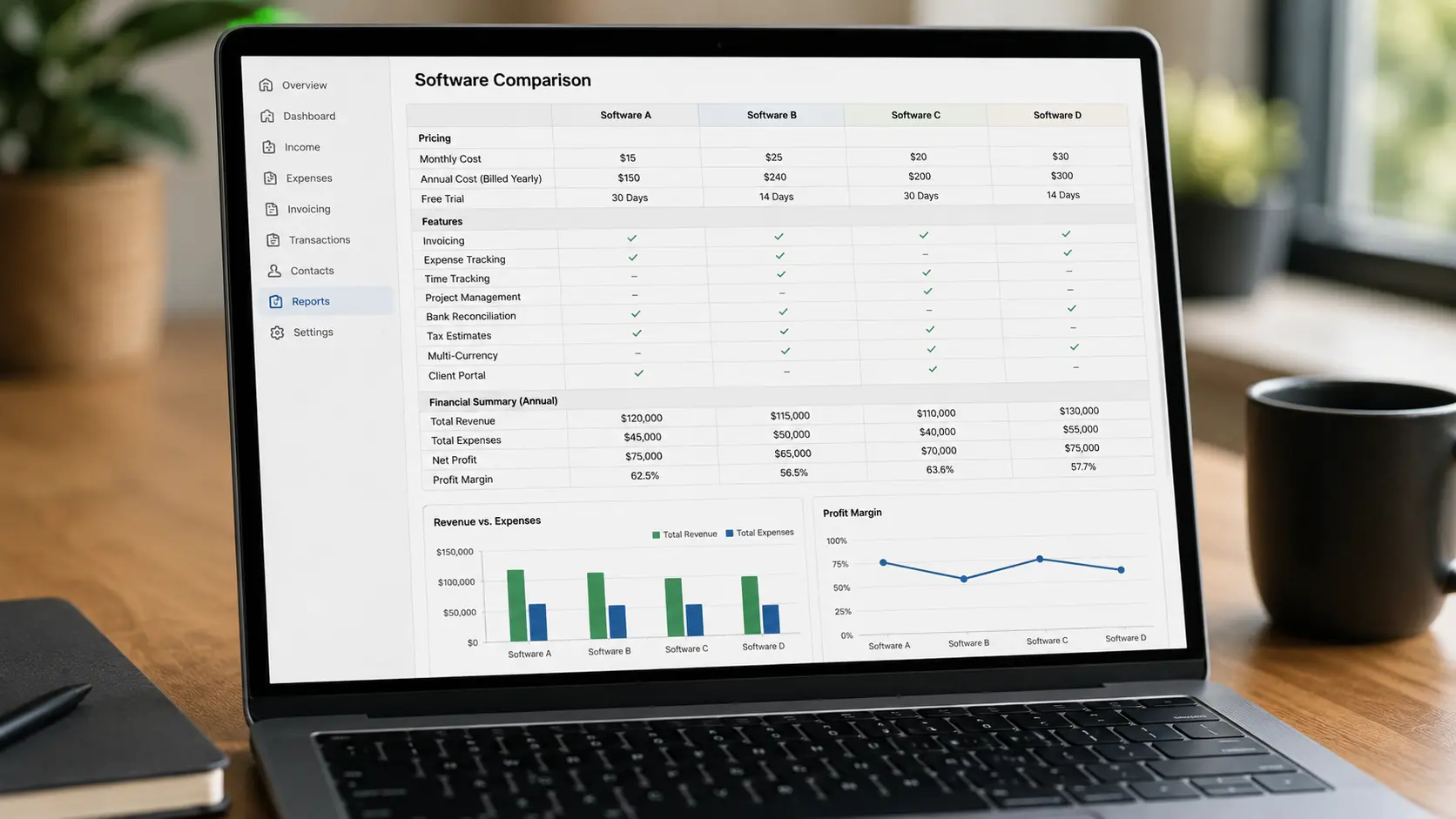
Ratings sourced from Plutio's 2026 freelancer accounting roundup. Pricing confirmed from each product's public pricing page as of Q2 2026 — verify current pricing before purchasing as plans change frequently.
Software | Starting Price | Best For | Double-Entry | Capterra Rating |
|---|---|---|---|---|
FreshBooks | ~$19/mo (Lite, annual) | Client-facing freelancers, hourly billers | Yes | 4.5/5 |
Wave | Free / ~$16/mo Pro | New freelancers, budget-constrained | Yes | 4.4/5 |
Hurdlr | Free / ~$10/mo Pro | Tax tracking, mileage, quarterly estimates | No | 4.5/5 |
Xero | ~$20/mo (Early plan) | Accountant collaboration, international clients | Yes | 4.4/5 |
QuickBooks Solopreneur | ~$20/mo | Tax-focused solopreneurs, Schedule C | Limited | 4.3/5 |
QuickBooks Online Simple Start | ~$35/mo | $75K+, working with a bookkeeper/CPA | Yes | 4.3/5 |
Zoho Books | Free / paid tiers | Automation-focused, budget-conscious | Yes | 4.4/5 |
AccountsPortal | ~$14/mo | Simple bookkeeping + integrations | Yes | 4.3/5 |
Note on pricing: All figures are approximate based on publicly listed rates. Annual billing typically reduces monthly cost by 10–30% depending on the tool. Always verify on the provider's current pricing page before committing.
The key insight this table surfaces: "Best" is entirely context-dependent. A freelancer earning $25,000 from two clients has fundamentally different needs than an independent consultant billing $200/hour across eight clients in three countries. The wrong tool at the wrong stage either wastes money on features you don't use or hits ceilings at the worst possible time.
FreshBooks: Best for Client-Facing Freelancers and Hourly Billers {#freshbooks}
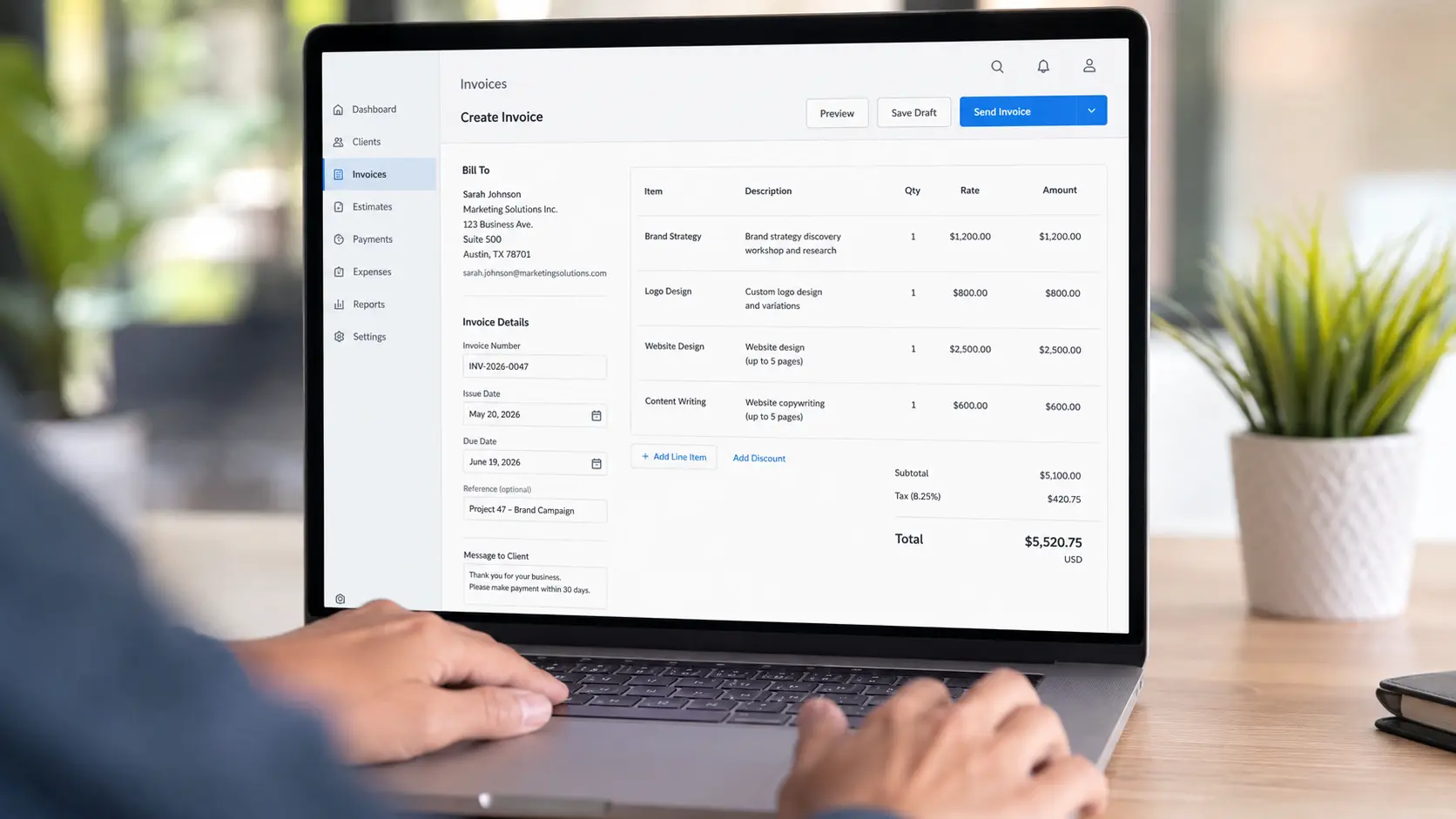
Bottom line: If you bill by the hour and manage multiple client relationships, FreshBooks is the strongest all-in-one option in this comparison.
FreshBooks earns its reputation not by doing everything, but by doing the specific things client-facing freelancers need better than most competitors. Professional invoicing, native time tracking, expense management, and double-entry bookkeeping live in a single interface designed explicitly for non-accountants. Procstat's 2026 guide identifies it as "widely considered the best accounting software for freelancers" specifically for time tracking, client management, and professional invoicing.
What makes it worth the cost
Native time tracking is FreshBooks' defining advantage. In most competing tools, time tracking is either absent or requires a third-party integration. In FreshBooks, it's built in — you log hours directly against a project or client, and those hours flow automatically into an invoice. For hourly billers, this eliminates a manual step that's easy to forget and expensive to get wrong.
FreshBooks also handles basic client communication and project management, reducing the need for a separate CRM tool for solo operators.
The limitation to know upfront
The Lite plan (~$19/month annual) restricts the number of active billable clients. Freelancers managing more than five simultaneous active clients will need to upgrade, which meaningfully increases the monthly cost. If your client roster is large and constantly rotating, calculate your actual tier cost before committing.
Who should skip it
Freelancers who don't bill by the hour and already have a separate invoicing tool
Anyone selling physical products (FreshBooks has no inventory management)
Freelancers earning $75K+ who need full financial statements for a CPA — consider QuickBooks Online Simple Start instead
Wave: The Honest Case for Free Accounting Software
Bottom line: Legitimately good for early-stage freelancers. Not a stripped-down demo — but plan to outgrow it.
Wave's free tier offers genuine double-entry bookkeeping, invoicing, and expense tracking at no cost. Procstat is direct: Wave is the right choice when you're "on a tight budget" and need "a solid free accounting solution, ideal for getting started before upgrading as your business grows."
What the free tier actually covers
Double-entry bookkeeping (not a simplified ledger)
Invoicing with payment links
Basic expense tracking
Basic bank connections
Wave Pro (~$16/month) adds automated bank sync, automated reconciliation, and payment processing. The time-saving features most users actually want are gated behind Pro — the free tier covers the fundamentals.
Where it hits a wall
TGG Accounting identifies Wave as "the best free accounting software for small businesses" with clear caveats: limited scalability, limited advanced reporting, and no cash flow forecasting. Tabby's bookkeeping guide characterizes it as "easy for self-employed professionals" but "not ideal for larger teams and complex transactions."
The practical signal to reassess: When your annual revenue crosses $50,000, when you need reports your accountant requires that Wave can't generate, or when you find yourself doing manual workarounds more than twice a month.
Who should skip it
Freelancers already at $50K+ annually
Anyone working with a CPA who uses QuickBooks or Xero
Freelancers who need detailed cash flow forecasting
Hurdlr: Best for Tax Tracking and Quarterly Estimates
Bottom line: If quarterly tax surprises are your primary problem and you already have an invoicing tool, Hurdlr solves that specific issue at the lowest price in this comparison.
Hurdlr is purpose-built for the self-employed tax workflow. According to Plutio, it focuses on "automatic expense categorization, mileage tracking, and real-time tax estimates that update as income and expenses change throughout the year."
That last feature is its key differentiator. Most accounting tools calculate your tax liability at year-end. Hurdlr calculates it continuously — so you always know your current estimated quarterly tax obligation. For freelancers who've been hit with underpayment penalties because they didn't set aside enough, this real-time visibility is worth more than any invoicing feature.
The trade-off is honest and clear
Hurdlr covers only the tax tracking layer. You'll need separate tools for professional invoicing, project management, and client communication. Hurdlr Pro (~$10/month) is the lowest-cost paid option in this entire comparison — if your accounting stack already handles invoicing and you only need the tax layer fixed, this is a targeted solution that costs less than a lunch.
Who should skip it
Freelancers who don't yet have another invoicing tool and need a complete solution
Anyone with complex income who needs full financial statements
QuickBooks: Two Different Products for Two Different Stages
QuickBooks offers two distinct products for freelancers. Choosing the wrong one is a common mistake.
QuickBooks Solopreneur (~$20/month) — Tax-focused, limited accounting
Designed for single-person businesses focused primarily on tax workflow: expense categorization, Schedule C reporting, and mileage tracking. Procstat identifies it as "a close second" to FreshBooks for freelancers who prioritize tax workflow over invoicing sophistication.
What it lacks: True double-entry accounting. It doesn't produce a full balance sheet or the financial statements a CPA needs to work with your books directly.
Right for: Solopreneurs at the $30K–$75K range who file taxes themselves and want clean Schedule C categorization without paying for full accounting features.
QuickBooks Online Simple Start (~$35/month) — Full accounting
A fundamentally different product. True double-entry accounting with a complete chart of accounts, profit & loss, balance sheet, and cash flow statement. Steph's Books recommends it explicitly for freelancers earning over $75,000 or working with a bookkeeper.
The practical feature that saves the most time at tax season: your CPA can be invited to access and download data directly — eliminating the export-and-email cycle that wastes hours every April, as Pilot's bookkeeping guide notes.
Right for: Established freelancers, anyone working with an accountant, and anyone who needs financial statements for a loan application or business planning.
If you're also evaluating HR and payroll software as your freelance business grows, see the Best HR & Payroll Software 2026: Gusto vs ADP vs Rippling comparison — QuickBooks integrates directly with Gusto if payroll becomes relevant.
Xero: Best for International Clients and Accountant Collaboration {#xero}
Bottom line: The strongest choice if you invoice international clients in multiple currencies or have a complex integration stack.
Xero's primary advantage for freelancers is its integration ecosystem. Steph's Books notes that Xero's App Store contains over 1,000 integrations including Stripe, Gusto, and HubSpot. For a freelancer with a complex tech stack — payment processor, CRM, project management tool — Xero's ability to pull data from all of them into a single financial view is genuinely valuable.
Twin Oaks Books highlights multi-currency support and robust reporting as its defining strengths. Bank feeds use pattern-learning transaction matching that improves over time, reducing manual reconciliation to a review task rather than a data-entry exercise. Procstat recommends Xero for anyone working with a team, noting its unlimited users across all plans become cost-effective as soon as more than one person needs account access.
Who should skip it
Freelancers who operate entirely in USD with domestic clients only — the multi-currency strength doesn't apply
Early-stage freelancers who will find the feature set and learning curve excessive for their current needs
Zoho Books: Best Automation-to-Price Ratio {#zoho}
Bottom line: If you want workflow automation — recurring invoices, automatic payment reminders, expense rules — at a price below FreshBooks and QuickBooks, Zoho Books delivers more automation per dollar than any other option here.
Procstat recommends it specifically for freelancers "looking for automation without high costs," citing its strong mobile experience and affordable pricing alongside the automation capabilities. The free tier is available for businesses under a certain revenue threshold; paid tiers add features including more contacts, additional users, and advanced reports.
Zoho Books also has native integration with the broader Zoho suite — if you use Zoho CRM, Zoho Projects, or Zoho Invoice already, the accounting layer integrates without third-party connectors.
Who should skip it
Freelancers who don't have repetitive billing workflows to automate (the main advantage disappears)
Anyone whose accountant specifically requires QuickBooks or Xero-formatted data
AccountsPortal: The Underrated Budget Option {#accountsportal}
For freelancers who want clean books, a low monthly cost (~$14/month), and solid integrations without paying for features they'll never use, AccountsPortal is a legitimate option that most comparison articles overlook. Serchen describes it as "a good option for small businesses and freelancers looking for a simple, affordable accounting solution." It won't win on advanced reporting, but it covers the fundamentals with full double-entry accounting at a price below most competitors.
Features That Actually Matter — and Ones You Can Safely Ignore
Features most freelancers genuinely need
Feature | Why It Matters | Who Needs It |
|---|---|---|
Invoicing with payment links | Clients pay faster when they don't have to transfer manually | All client-facing freelancers |
Bank sync + expense categorization | Eliminates manual data entry; prevents missed deductions | Everyone |
Profit & loss statement | Required for tax filing, loan applications, and knowing if you're actually profitable | Everyone beyond Wave-level simplicity |
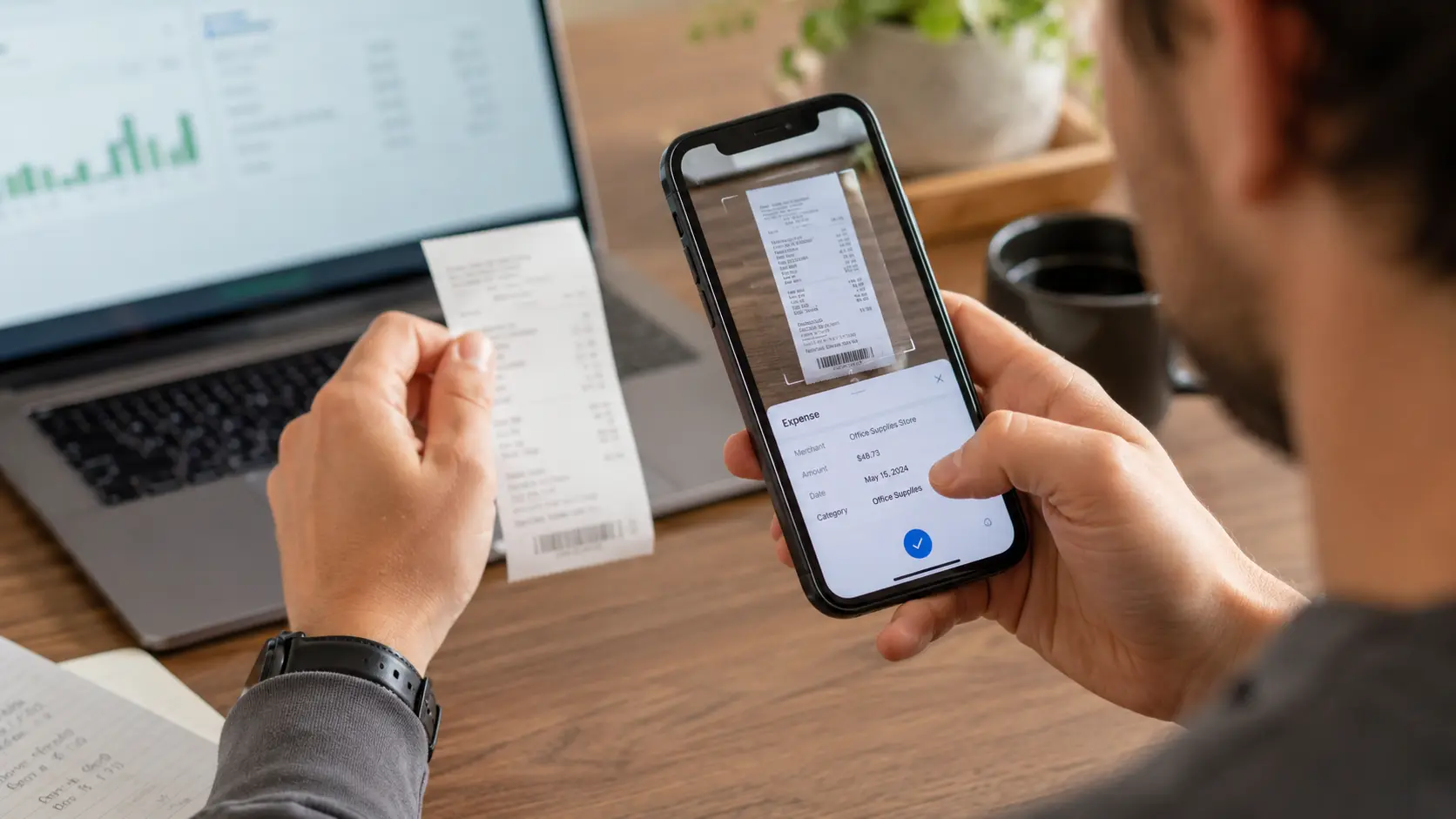
Mobile receipt capture | The quality varies significantly across tools — test this before committing | Anyone who tracks expenses on the go |
Features worth having depending on your work type
Feature | Who Needs It | Who Doesn't |
|---|---|---|
Native time tracking | Hourly billers | Project-rate and retainer-based freelancers |
Mileage tracking | Photographers, consultants who travel to clients | Remote-only workers |
Multi-currency | Freelancers with international clients | US-only client base |
Direct CPA access | Anyone working with an accountant | Self-filers using simple tools |
Features you almost certainly don't need as a solo freelancer
Inventory management
Multi-entity consolidation
Purchase order management
Payroll (unless you have employees — most freelancers don't)
Decision Framework: Match Software to Your Income Stage

Stage 1 — New freelancer, irregular income, under $30K
Start with Wave (free tier). Build the habit of tracking income and expenses before investing in sophisticated reporting. Wave's free double-entry bookkeeping and invoicing give you a real accounting foundation at no cost. Reassess when: income stabilizes above $50K, or you need reports Wave can't generate.
Stage 2 — Established freelancer, $30K–$75K, multiple active clients
FreshBooks Lite or QuickBooks Solopreneur. At this income level, time saved on invoicing and expense tracking is worth $15–$25/month. Choose FreshBooks if you bill by the hour or manage multiple active client relationships. Choose QuickBooks Solopreneur if your primary concern is clean tax categorization and quarterly estimated payments.
Stage 3 — $75K+, working with an accountant, complex income
QuickBooks Online Simple Start or Xero. You need true double-entry accounting and financial statements your accountant can work with directly. Steph's Books is explicit: above $75,000 or with a bookkeeper involved, simpler tools create more problems than they solve.
Tax anxiety as a specific, isolated problem
Hurdlr Pro (~$10/month) layered on top of whatever invoicing tool you already use. If your primary pain is not knowing what you owe in quarterly estimated taxes, Hurdlr solves that problem more directly than any full-suite accounting tool — at the lowest price in this comparison.
Heavy automation needs, budget-conscious
Zoho Books. If you want recurring invoices, automatic payment reminders, and expense rules — at a price below FreshBooks and QuickBooks — Zoho delivers more automation per dollar than any other option here.
The Cost of Switching Software Mid-Year
This is worth understanding before you choose. Switching accounting software mid-year is technically possible but practically painful: most tools allow CSV export of transactions, but re-categorizing and reconciling imported data takes significant time. You may end up running two sets of records for a period.
The practical guidance: Choose with your 2–3 year growth trajectory in mind, not just where you are today. QuickBooks Online is used by over 7 million businesses (Steph's Books) not because it's the best tool for every freelancer, but because many chose it early and didn't want to migrate later. If Wave is genuinely right for your current stage, use it — just plan to move before you hit its ceiling, ideally at the start of a new fiscal year.
How This Fits Into Your Broader Software Stack
Accounting software doesn't exist in isolation. Related decisions worth making alongside it:
Project management: If you use Asana, Monday, or Notion to track client work, verify that your accounting tool integrates or at least exports data cleanly. See the Best Project Management Tools 2026: Asana vs Monday vs Notion comparison for context on which tools are worth the subscription cost at the freelance level.
CRM and client management: FreshBooks handles basic client management natively. If you need a dedicated CRM, see the Best CRM Software for Small Business 2026 guide.
Email marketing and client communication: If you send newsletters or automated email sequences to clients or leads, Best Email Marketing Services 2026: Mailchimp vs ConvertKit vs Klaviyo covers the budget-appropriate options for solo operators.
Broader software stack decisions: For how to evaluate software subscriptions across categories — avoiding tool sprawl and redundant costs — see the Software & Apps Buyer's Guide 2026.
Business credit cards: Many freelancers separate business expenses using a dedicated card. The Best Business Credit Cards 2026 guide covers options with expense categorization features that can simplify your accounting workflow.
Budgeting and personal finance: If you're managing both personal and business finances and want a unified view, the Best Budgeting Apps 2026: YNAB vs Monarch Money comparison covers the overlap between personal budgeting tools and light business tracking.
Frequently Asked Questions
Is free accounting software good enough for freelancers?
For early-stage freelancers with simple income, yes. Wave's free tier offers genuine double-entry bookkeeping and invoicing that covers most basic needs. The limitation isn't quality — it's scalability. Once your income grows, your client roster expands, or your accountant needs detailed reports, free tools typically can't keep up.
Do I need double-entry accounting as a freelancer?
Not necessarily at first, but it becomes important as income grows. Double-entry accounting produces accurate financial statements — profit and loss, balance sheet — that are required for business loan applications, working with a CPA, or demonstrating business income for a mortgage. Tools like Hurdlr skip double-entry entirely, which is fine for tax tracking but limiting for full financial management.
What's the difference between QuickBooks Solopreneur and QuickBooks Online Simple Start?
QuickBooks Solopreneur is designed for single-person businesses focused on tax workflow: expense categorization, Schedule C reporting, and mileage tracking. It does not produce a full balance sheet. QuickBooks Online Simple Start is full double-entry accounting with a complete chart of accounts and financial statements. If you're earning over $75,000 or working with a bookkeeper, Simple Start is the appropriate product, per Steph's Books.
Can I switch accounting software mid-year without losing data?
Yes, but it's time-consuming. Most tools allow CSV export of transactions, but re-categorizing and reconciling imported data takes significant manual effort. Switching at the start of a new fiscal year is strongly preferable. If you must switch mid-year, prioritize tools that offer clean data import from your current platform and build in time for a reconciliation period.
Is Xero worth it compared to QuickBooks for freelancers?
Xero's key advantages over QuickBooks for freelancers are: stronger multi-currency support, a larger integration ecosystem (1,000+ apps), and unlimited users across all plans. QuickBooks' advantages are wider CPA familiarity in the U.S. and a longer track record of U.S. tax integration. If you have international clients or a complex tech stack, Xero is worth the comparison. If you work entirely in the U.S. and your CPA specifically uses QuickBooks, staying in the QuickBooks ecosystem avoids compatibility friction.
How do I handle quarterly estimated taxes as a freelancer?
Most full-suite accounting tools (FreshBooks, QuickBooks, Xero) can generate the income and expense reports you need to calculate quarterly estimates. For real-time continuous estimates that update automatically as income and expenses change throughout the year, Hurdlr is purpose-built for exactly this. The IRS generally requires quarterly estimated tax payments if you expect to owe $1,000 or more in taxes for the year — your accounting tool should be generating clear enough P&L data for you to calculate this at least quarterly.
What accounting software do most freelancers actually use?
QuickBooks Online is the most widely used across freelancers and small businesses, with over 7 million users according to Steph's Books — primarily due to network effects and CPA familiarity rather than being objectively best for all situations. FreshBooks has a strong following specifically among service-based freelancers. Wave has significant adoption among new and budget-conscious freelancers. "Most used" and "best for your situation" are not the same question.
Quick Reference: At a Glance
Your situation | Recommended tool | Monthly cost (approx.) |
|---|---|---|
Just starting, income < $30K | Wave Free | $0 |
Need basic automation, tight budget | Wave Pro | ~$16 |
Hourly biller, multiple clients | FreshBooks Lite | ~$19 |
Tax tracking only, already have invoicing | Hurdlr Pro | ~$10 |
Tax-focused, self-filing, $30–75K | QuickBooks Solopreneur | ~$20 |
$75K+, working with CPA | QuickBooks Online Simple Start | ~$35 |
International clients, complex integrations | Xero Early | ~$20 |
Automation-focused, budget-conscious | Zoho Books | Free–paid tiers |
Simple bookkeeping + integrations, low cost | AccountsPortal | ~$14 |
Sources cited in this article: