

Affiliate disclosure: Trusted Buyer Report may earn a commission when you click links and make a purchase, at no extra cost to you. Our editorial recommendations are finalized before any affiliate link is applied. Read our full disclosure →
How this guide was researched: This guide is based on manufacturer specifications, testing data from independent review sources (PCMag, Wirecutter, CNET, WIRED, Security.org), and verified customer feedback. It does not reflect hands-on testing by Trusted Buyer Report. Read our methodology →
Nearly 70% of pet owners who buy a pet camera stop checking it within two months — not because their pets are boring, but because the camera keeps crying wolf. Generic motion alerts fire every time a curtain shifts or an air vent flickers. Owners learn to ignore them. The camera becomes an expensive piece of shelf decor.
That's the real problem most pet camera guides don't address. They compare megapixels and feature lists without asking whether those features will actually change your daily behavior as a pet owner.
This guide takes a different approach. It identifies the five features that separate genuinely useful pet monitoring from expensive noise — then matches specific cameras to specific needs. Whether you're managing a dog's separation anxiety, documenting destructive behavior for a trainer, or just want an occasional check-in on your cat, there's a right camera for your situation. It's not the same one for everyone.
Quick verdict by use case:
- Best for dogs (separation anxiety + treat dispensing): Furbo 360 Dog Camera
- Best for cats (interactive + laser): Petcube Bites 2 Lite
- Best budget, no subscription: Eufy Indoor Cam C120
- Best for Google Home households: Google Nest Cam (Indoor, Wired)
- Best entry-level: Wyze Cam (~$35)
- Most innovative (autonomous tracking): Siipet PawTrack
Why Most Pet Cameras Disappoint — and What to Look For Instead

The global smart pet camera market was estimated at $2.6 billion in 2026 and is projected to reach $4.47 billion by 2030, according to a February 2026 report from Research and Markets. That growth reflects genuine demand — but it also means a flood of mediocre products entering the category every quarter. More cameras does not mean better cameras.
The core failure of most budget and mid-range pet cameras is generic motion detection. A curtain near an air vent triggers the same alert as your dog knocking over a water bowl. Over time, you stop looking. According to CNET's pet camera guide, the four pillars of a useful pet camera are resolution, field of view, wireless versus wired setup, and object detection — and object detection is the one most buyers underweight when shopping.
Resolution alone does not determine whether footage is useful. A 4K camera with a 90-degree field of view will miss your cat's entire scratching routine if the camera is aimed at the couch while the cat prefers the rug. Night vision quality matters just as much as daytime resolution — many owners discover their pets are most active between 10 PM and 6 AM, exactly when standard infrared night vision turns everything into a grainy monochrome blur.
American pet expenditure reached $147.6 billion in 2024, up from prior years, according to the American Pet Products Association as cited by SkyQuestT. Owners are spending more on their pets across the board. But spending more on a camera does not guarantee better monitoring — it guarantees more features, some of which you'll use and some of which you won't.
Defining your primary use case before you shop is the single most useful thing you can do. Are you managing separation anxiety? Documenting destructive behavior for a vet or trainer? Doing passive health observation on an aging pet? Or just checking in occasionally for peace of mind? Each use case points to a different set of non-negotiable features.
If you're building out a broader pet tech setup — smart feeders, GPS collars, subscription boxes — our complete 2026 pet products guide covers the full landscape of gear worth considering for dogs, cats, and small pets alike.
The 5 Features That Actually Separate Good Pet Cameras from Gimmicks

Once you know what you're solving for, these five features determine whether a camera earns its place in your home — or gets unplugged within a month.
1. AI Pet Detection vs. Basic Motion Detection
Pet-specific AI reduces false alerts by recognizing the shape and movement patterns of animals, rather than flagging any pixel change. A 2026 comparison by Siipet shows that Furbo uses dog-specific AI, Eufy C120 and Nest Cam use general pet detection AI, and TP-Link Tapo relies on basic motion detection. That difference directly translates into how many useless push notifications you receive each day.
Bottom line: If you want alerts you'll actually respond to, prioritize cameras with dedicated pet AI — not just motion detection.
2. Two-Way Audio Quality
Every camera on this list has two-way audio. Not all of them have good two-way audio. A tinny, distorted speaker that makes your voice sound robotic can agitate an already anxious dog rather than soothe it. Look for reviews that specifically mention audio quality — spec sheets never describe speaker fidelity.
3. Night Vision Type
Standard infrared night vision produces black-and-white footage, making it harder to spot behavioral details. Color night vision — available on the Eufy C120, TP-Link Tapo, and Furbo 360 — uses ambient light amplification to produce color footage in low-light conditions, which makes it significantly easier to identify what your pet is doing at 3 AM: limping, chewing something they shouldn't, or pacing anxiously.
4. Storage Model (Where Long-Term Costs Hide)
- Eufy C120: local microSD storage, no subscription required
- Nest Cam: only three hours of free cloud storage; no microSD — you'll need a Google Home Premium subscription for more
- Furbo: best AI features (Furbo Dog Nanny alerts) require a subscription on top of the hardware cost
Factor ongoing subscription costs into your total budget before buying. A $60 camera with a $10/month subscription costs $180/year.
5. Privacy Shutters
According to the Siipet comparison table, Petcube offers a physical privacy shutter; Eufy and TP-Link Tapo use app-mode controls; Furbo has no physical shutter. For owners in shared living spaces or rentals, a mechanical shutter that physically blocks the lens is meaningfully more private than a software toggle — no bug or firmware issue can override it.
Full Comparison Table
| Feature | Eufy C120 | Nest Cam | Petcube Bites 2 | Furbo 360 | TP-Link Tapo |
|---|---|---|---|---|---|
| Resolution | 2K QHD | 1080p HDR | 1080p | 1080p | 2K QHD |
| Pet Detection AI | Yes (general) | Yes (general) | Yes | Dog-specific | Basic motion |
| Night Vision | Color | Standard | Standard | Color | Color |
| Treat Dispenser | No | No | Yes | Yes | No |
| Laser / Play | No | No | Yes | No | No |
| Privacy Shutter | App mode | Activity zones | Physical | None | App control |
| Smart Home | Alexa / Google | Google Home | Alexa | Alexa | Alexa / Google |
| Local Storage | microSD | No | No | No | microSD |
| Price Range | $50–60 | ~$100 | ~$70 | ~$150 | $40–50 |
| Subscription Required | No | Optional ($) | Optional ($) | Yes (best features) | No |
Sources: Siipet 2026 pet camera comparison; PCMag; Wirecutter
Best Pet Camera for Dogs: Furbo 360 Dog Camera
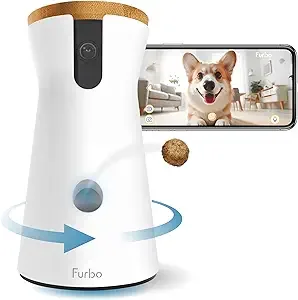
Best for: Dog owners managing separation anxiety, wanting treat-based remote training, or monitoring large rooms.
The Furbo 360 Dog Camera earned the top-tested dog camera position in PCMag's 2026 roundup through a combination of features no other single camera matches for dog owners: treat dispensing, dog-specific AI detection, color night vision, and 360-degree pan capability — all at around $150.
PCMag's verdict is direct: the Furbo 360 "allows you to see your pet and dispense treats remotely, improving upon the original with color night vision and the ability to pan from side to side for 360-degree views." The color night vision upgrade isn't cosmetic — dogs that pace or show anxious behavior often do so in early morning hours, and color footage makes it far easier to distinguish what's actually happening.
Treat dispensing as a behavioral tool. Remote positive reinforcement — rewarding calm behavior from across town — has genuine training value for dogs with separation anxiety. The ability to dispense a treat when your dog lies down quietly on camera is a meaningful interaction, not a gimmick.
WIRED included the Furbo 360 in its top picks for 2026, noting its dual-view capability (simultaneously showing ground-level and overhead perspectives) and adjustable ceiling mount for broader room coverage. That ceiling mount is worth using in large open-plan spaces where a dog can disappear from a fixed shelf camera's view.
The honest trade-off: Furbo's most useful AI features — including the Dog Nanny alert system for barking, crying, and unusual activity — require an ongoing subscription beyond the $150 hardware price. At that total cost, the Furbo is the most expensive option in this guide. It's also the most purpose-built for dogs. Furbo also offers a 360 Cat Camera variant with a feather toy attachment for cat owners who want comparable interactivity.
Pros: Dog-specific AI, treat dispensing, color night vision, 360° pan, ceiling mount option
Cons: Highest price point; subscription required for best features; no physical privacy shutter
If you're working on your dog's behavior more broadly, our guide to the best pet training tools and online courses covers what's actually worth paying for in 2026.
Best Pet Camera for Cats: Petcube Bites 2 Lite
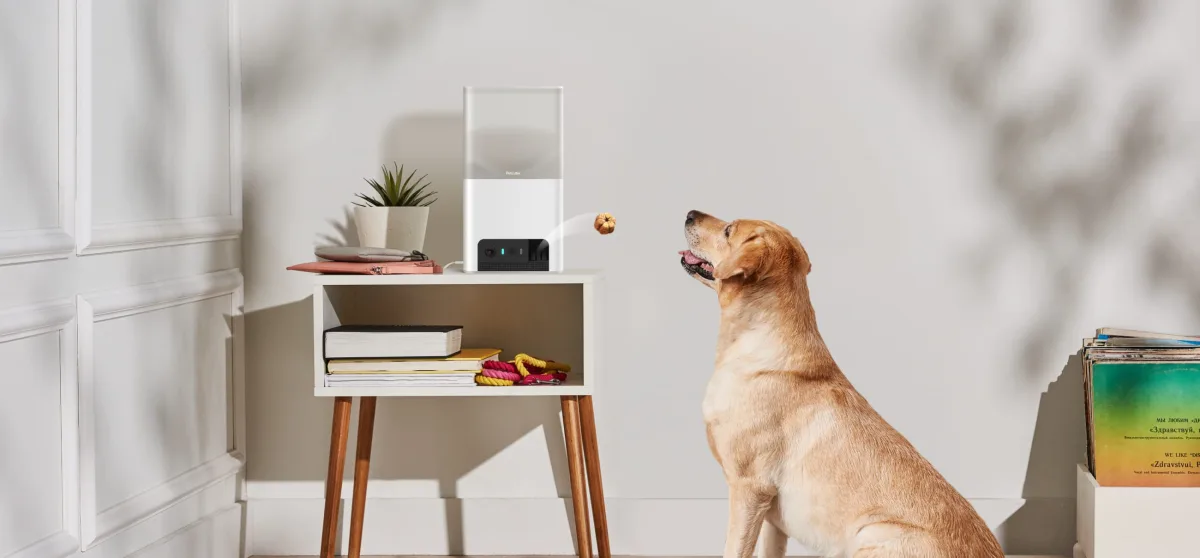
Best for: Cat owners who want interactive remote engagement, not just passive watching.
Cats are harder to monitor remotely than dogs — not because they hide (though they do), but because their activity patterns are less predictable and they respond differently to remote interaction. A dog often reacts to your voice through a speaker. A cat may stare at the camera, walk away, or ignore it entirely. What engages cats is movement — which is why Petcube's laser feature is more than a selling point.
The Petcube Bites 2 Lite, priced around $70, combines treat dispensing with a fixed 1080p camera, 30-foot night vision, and AI-powered play features including a built-in laser. CNET named it one of the best pet cameras for its dual functionality — and its feature set maps particularly well to cats, where laser interactivity addresses feline boredom in a way that treats alone cannot.
One genuine limitation: The Petcube does not pan or tilt. If your cat claims multiple rooms — a cat tree in one corner, a favorite window perch in another, a feeding station near the kitchen — a fixed camera will miss significant portions of their day. In that case, either mount the Petcube in the room where your cat spends the most time, or consider the Furbo 360 Cat Camera for its pan capability.
Petcube's physical privacy shutter is a meaningful advantage for cat owners in shared housing or rentals. Alexa integration allows voice-triggered treat dispensing without opening an app — useful when you want a quick interaction while on a call.
Pros: Laser interactivity, treat dispensing, physical privacy shutter, Alexa support
Cons: No pan/tilt; 1080p only (others offer 2K); cloud storage requires subscription for extended history
Best Budget Pet Camera: Eufy Indoor Cam C120
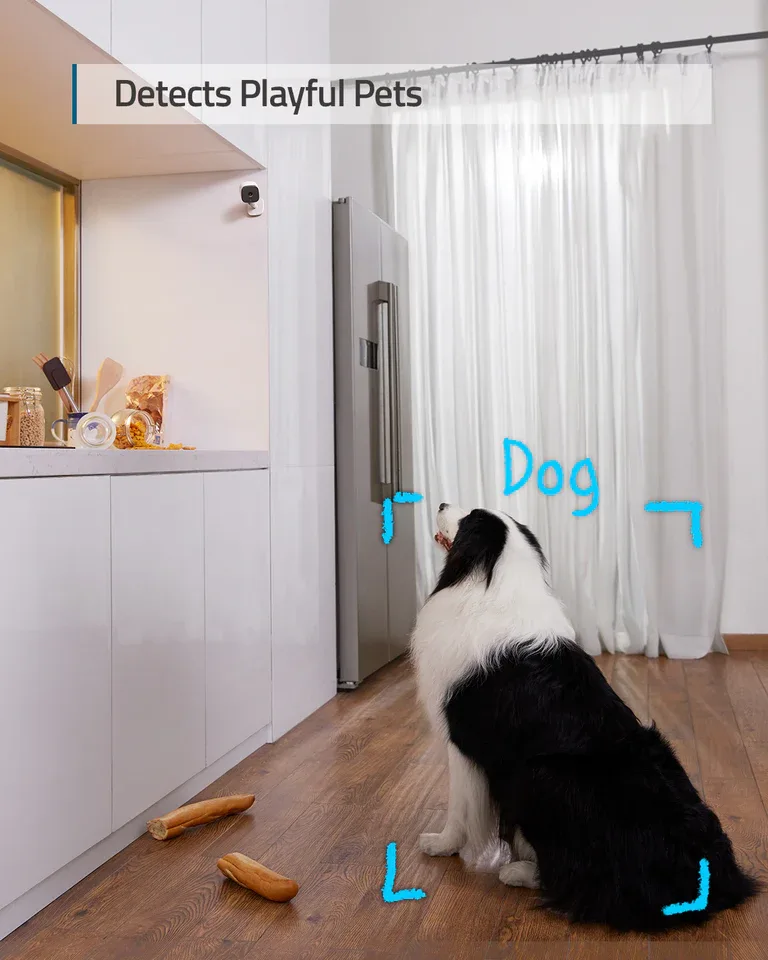
Best for: Owners who want reliable monitoring without interactive features — and zero subscription costs.
If your goal is dependable, high-quality video monitoring without the ongoing expense, the Eufy Indoor Cam C120 is the strongest value in the category. At $50–60, it delivers 2K QHD resolution, color night vision, AI pet detection, pan-tilt capability, and local microSD storage — a feature set that matches or exceeds cameras costing two to three times as much in every dimension except treat dispensing.
Wirecutter tested the Eufy C120, TP-Link Tapo C120, and Google Nest Cam side by side and found the Eufy and Tapo detected pet motion as well as the Nest in direct testing. The Eufy is rated 4.8 out of 5 on Siipet's 2026 comparison for use cases including destructive behavior tracking and multi-pet households. Local storage means no subscription — once you buy the camera and a microSD card, your ongoing cost is $0.
For multi-pet homes: The C120's pan-tilt capability and low per-unit price make it practical to place multiple cameras throughout a home. At $55 per camera, covering a living room, bedroom, and kitchen costs less than a single Furbo setup.
What about the TP-Link Tapo? Available at $40–50, the Tapo also offers 2K QHD and color night vision, but uses basic motion detection rather than dedicated pet AI. For owners who primarily want to check in visually rather than receive automated notifications, the Tapo's lower price may justify the trade-off.
At the absolute entry level, the Wyze Cam at approximately $35 offers HD video, sound and motion detection, and cloud storage options, according to Security.org's pet camera review. It's the most affordable camera that still delivers functional monitoring, though it lacks color night vision and pet-specific AI. For a first-time buyer who wants to test whether remote monitoring fits their routine before investing more, the Wyze Cam is a reasonable starting point.
Pros (Eufy C120): 2K QHD, color night vision, AI pet detection, pan-tilt, local storage, no subscription
Cons: No treat dispenser; no interactive features; app privacy mode (not physical shutter)
Best Pet Camera for Smart Home Integration: Google Nest Cam (Indoor, Wired)
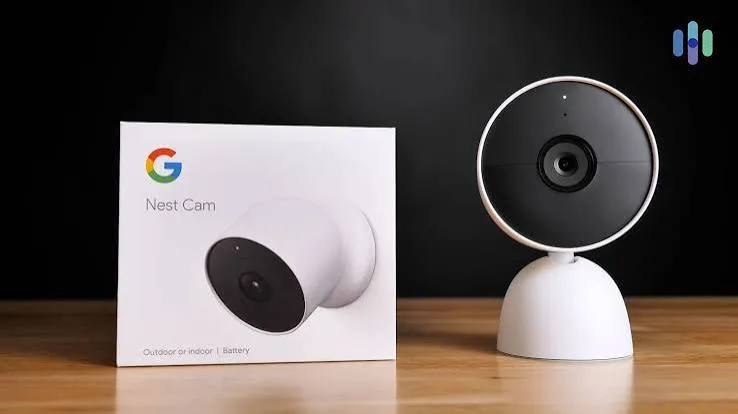
Best for: Households already running Google Home or Nest devices.
If your home already runs on Google Assistant or Nest devices, the Google Nest Cam (Indoor, Wired) is the natural fit — not because it outperforms the Eufy or Tapo on specs, but because its native Google Home integration and intuitive interface make it significantly easier to use within an existing ecosystem.
Wirecutter praises the Nest Cam's ability to distinguish between people, animals, vehicles, and general motion — and in direct testing, it detected pet motion as well as the Tapo C120 and Eufy C120. The camera is physically heavier and more substantial than budget alternatives, which Wirecutter specifically identifies as a practical advantage in homes with large or active dogs that might knock over a lighter camera placed on a shelf.
Security.org rates the Nest Cam at 9.2 out of 10 and calls it a top choice for night vision quality, though its 1080p HDR resolution trails the 2K QHD of the Eufy and Tapo.
The trade-offs are real. At around $100, the Nest Cam costs significantly more than the Eufy C120 for comparable detection performance. It offers only three hours of free cloud storage with no microSD option — if you want event history beyond three hours, a Google Home Premium subscription is unavoidable. And for Alexa households, the Nest is the wrong choice: it integrates with Google Home, not Amazon Alexa. Furbo, Petcube, Eufy, and TP-Link Tapo all support Alexa.
Pros: Best-in-class Google ecosystem integration, solid pet detection, durable build, intuitive app
Cons: 1080p only, no local storage, subscription required for history beyond 3 hours, no Alexa support
Emerging Options Worth Watching in 2026
Two newer products represent a meaningfully different approach to pet monitoring — one that moves beyond fixed cameras entirely.
Enabot Rola PetPal (Mobile Robot Camera)

The Enabot Rola PetPal is a mobile robot camera that moves around your home, dispenses treats, and engages in remote playtime. WIRED included it in its top picks for 2026, noting its 3K (5MP) resolution, 360-degree view, pan-tilt-zoom capabilities, and color plus infrared night vision with both cloud and microSD storage options.
The core appeal is coverage: a robot camera can follow your pet from room to room, eliminating the blind spots that plague fixed cameras in large homes. If your dog spends time across multiple rooms and a single camera doesn't cut it, the Rola PetPal is worth serious consideration.
Honest caution: Robot cameras are newer technology with less proven app maturity than established brands. Shy or anxious pets may be startled by a camera moving toward them. Test any robot camera with your pet present before relying on it for unsupervised monitoring.
Siipet PawTrack (Autonomous Behavior-Tagging Camera)
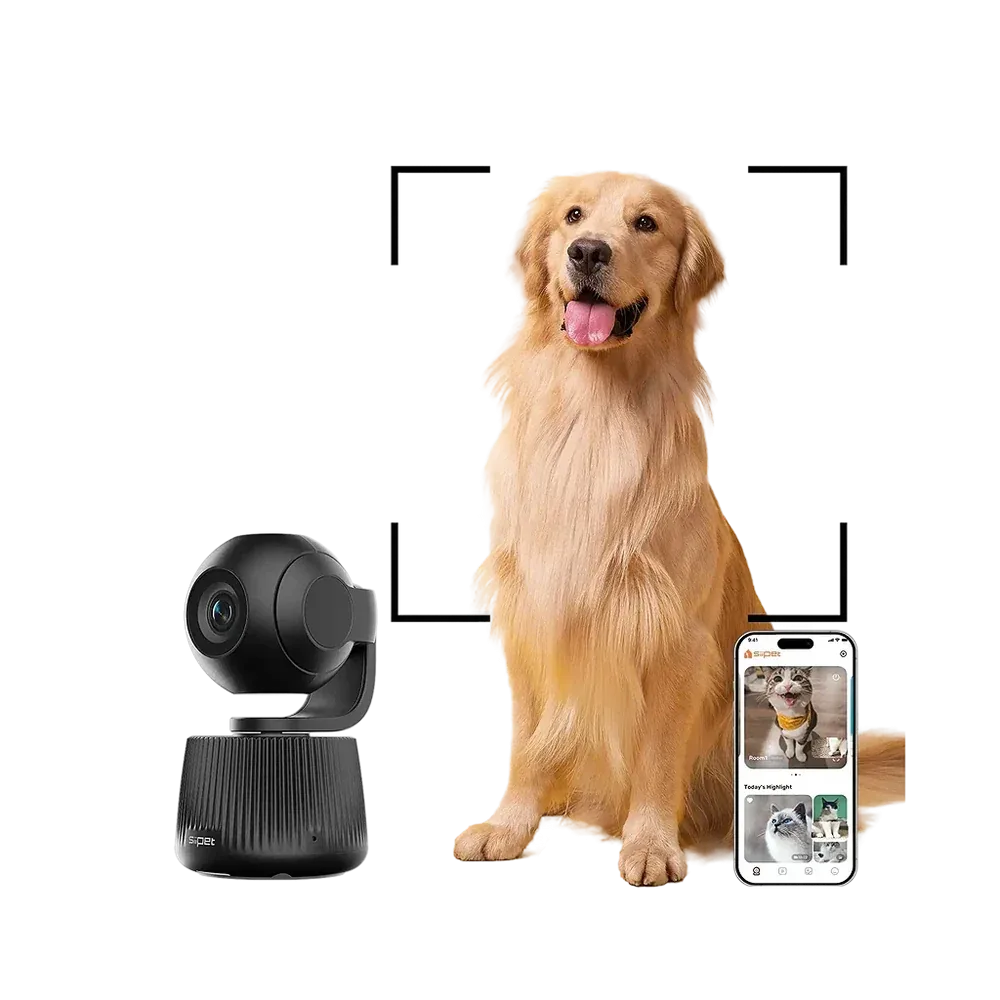
Siipet's PawTrack uses 360-degree rotation and 270-degree tilt to automatically follow a pet's movements — and tags behaviors like playtime, rest, and potential health concerns, according to MolecularCloud's 2026 pet camera guide. That behavior-tagging capability represents the next evolution beyond motion alerts, moving toward passive health monitoring that could flag changes in activity patterns before they become visible symptoms.
For owners of aging pets, or those managing chronic conditions, behavior-tagging AI is worth watching closely — it may become the dominant feature category by 2027.
How to Choose the Right Pet Camera for Your Situation
Use this framework to narrow your options before reading a single spec sheet.
Step 1: Identify your primary use case
- Separation anxiety management: You need two-way audio and treat dispensing. → Furbo 360 or Petcube Bites 2 Lite
- Destructive behavior documentation: You need wide field of view, reliable motion logging, and clear daytime footage. → Eufy C120 with pan-tilt
- Passive health observation on an aging pet: You need consistent coverage and behavior-tagging AI. → Siipet PawTrack or Enabot Rola
- Occasional check-ins for peace of mind: Any camera with reliable pet detection works. → Eufy C120 or TP-Link Tapo at the budget end
Step 2: Match to your pet type
- Dogs: Respond to treat dispensing and voice interaction. Furbo 360 is purpose-built for this.
- Cats: Benefit more from laser and movement-based engagement. Petcube Bites 2 Lite or Furbo 360 Cat Camera.
- Multiple pets: Need pan-tilt or wide-angle coverage. Eufy C120 or Enabot Rola.
Step 3: Factor in home layout and storage preference
- Small apartment: Fixed cameras work well; one unit is usually sufficient.
- Large open-plan home: Pan-tilt (Eufy C120) or robot cameras (Enabot Rola) handle blind spots better.
- Multi-room monitoring: Multiple Eufy C120 units are more cost-effective than multiple Furbos.
- Want zero ongoing subscription costs? The Eufy C120 with local microSD is your only fully subscription-free option in this comparison.
Thinking about keeping your pet safe beyond the home? Our 2026 guide to GPS trackers and smart collars covers the best options for tracking pets outdoors.
Privacy and Data Security: What Pet Camera Owners Need to Know
Every camera in this guide transmits video over your home Wi-Fi network and, in most cases, to a manufacturer's cloud server. That means your footage is subject to the manufacturer's data retention policies, encryption standards, and potential exposure in the event of a breach. This isn't a theoretical concern — multiple consumer camera brands have had documented security incidents in recent years.
Physical privacy shutters, available on Petcube, provide the most reliable protection when you want the camera off: no software bug can override a mechanical lens cover. App-based privacy modes (Eufy, TP-Link Tapo) are convenient but depend on software functioning correctly. Furbo has no physical shutter at all.
For cloud-connected cameras, review the manufacturer's privacy policy before purchase — specifically, whether they sell or share footage data, how long recordings are retained, and whether end-to-end encryption is used. Local storage cameras like the Eufy C120 reduce cloud exposure significantly, since footage stays on your microSD card unless you actively choose to upload it.
Frequently Asked Questions
Do I need a subscription for a pet camera?
Not necessarily. The Eufy Indoor Cam C120 offers full functionality — 2K QHD video, AI pet detection, color night vision, and pan-tilt — with local microSD storage and no ongoing subscription. Wyze Cam and TP-Link Tapo also offer free tiers. Furbo and Nest Cam require subscriptions for their best features.
What's the difference between AI pet detection and basic motion detection?
AI pet detection recognizes the shape and movement patterns of animals, so you get alerts when your pet does something — not every time a curtain shifts. Basic motion detection flags any pixel change in the camera's field of view, generating significantly more false alerts. Over time, this is the difference between a camera you check and one you mute.
Can I use a pet camera for cats and dogs?
Yes, but the ideal features differ. Dogs tend to respond to voice and treat dispensing; cats are more engaged by laser and movement. Furbo makes both a dog-specific and a cat-specific version of the 360 Camera (the cat version includes a feather toy attachment). Petcube's laser feature is particularly well-suited to feline enrichment.
Is a pet camera with treat dispensing worth it?
For dogs with separation anxiety, yes — remote treat dispensing enables genuine positive reinforcement training while you're away. For cats, a laser toy (like Petcube's) may be more engaging than treats. If you're primarily interested in passive monitoring without behavioral interaction, a camera without a dispenser (like the Eufy C120) delivers better value.
How many pet cameras do I need for a large home?
It depends on your pet's range. If your dog stays mostly in one room, one camera is sufficient. If your pet moves between three or four rooms, either a robot camera (Enabot Rola) or two to three fixed pan-tilt cameras (Eufy C120) is more practical. At $55 per unit, covering a full floor with Eufy cameras costs less than a single Furbo.
Are pet cameras safe from hackers?
Any camera connected to the internet carries some risk. Physical privacy shutters (Petcube), strong passwords, two-factor authentication, and regular firmware updates are your best defenses. Local storage cameras (Eufy C120) reduce cloud exposure. Avoid cameras from brands without clear security documentation or a track record of timely firmware patches.
Where to Buy
Most pet cameras in this guide are available through major retailers. Chewy is worth checking for pet-specific bundles and occasional promotions on cameras and accessories — particularly for Furbo and Petcube. Amazon, Best Buy, and the brand websites (Eufy, TP-Link, Google Store) offer competitive pricing on standard models.
If you're also exploring food delivery subscriptions or curated pet boxes, our 2026 review of the best pet subscription boxes covers BarkBox, KitNipBox, and other services worth considering for ongoing pet enrichment.
This article was researched and drafted with AI assistance, then reviewed and fact-checked before publishing. Affiliate commissions may be earned from purchases made through links on this page — this does not influence our editorial recommendations. Full methodology →